> ## Documentation Index
> Fetch the complete documentation index at: https://help.coachiq.io/llms.txt
> Use this file to discover all available pages before exploring further.
# What Are Forms?
> Collect athlete info, registrations, waivers, and payments — all in one place that connects to your entire CoachIQ system.
Forms are how you collect information from athletes and parents — without the back-and-forth texting, manual data entry, or scattered Google Docs.
**Where to find Forms**: Tools → Forms in the main navigation
## What forms do
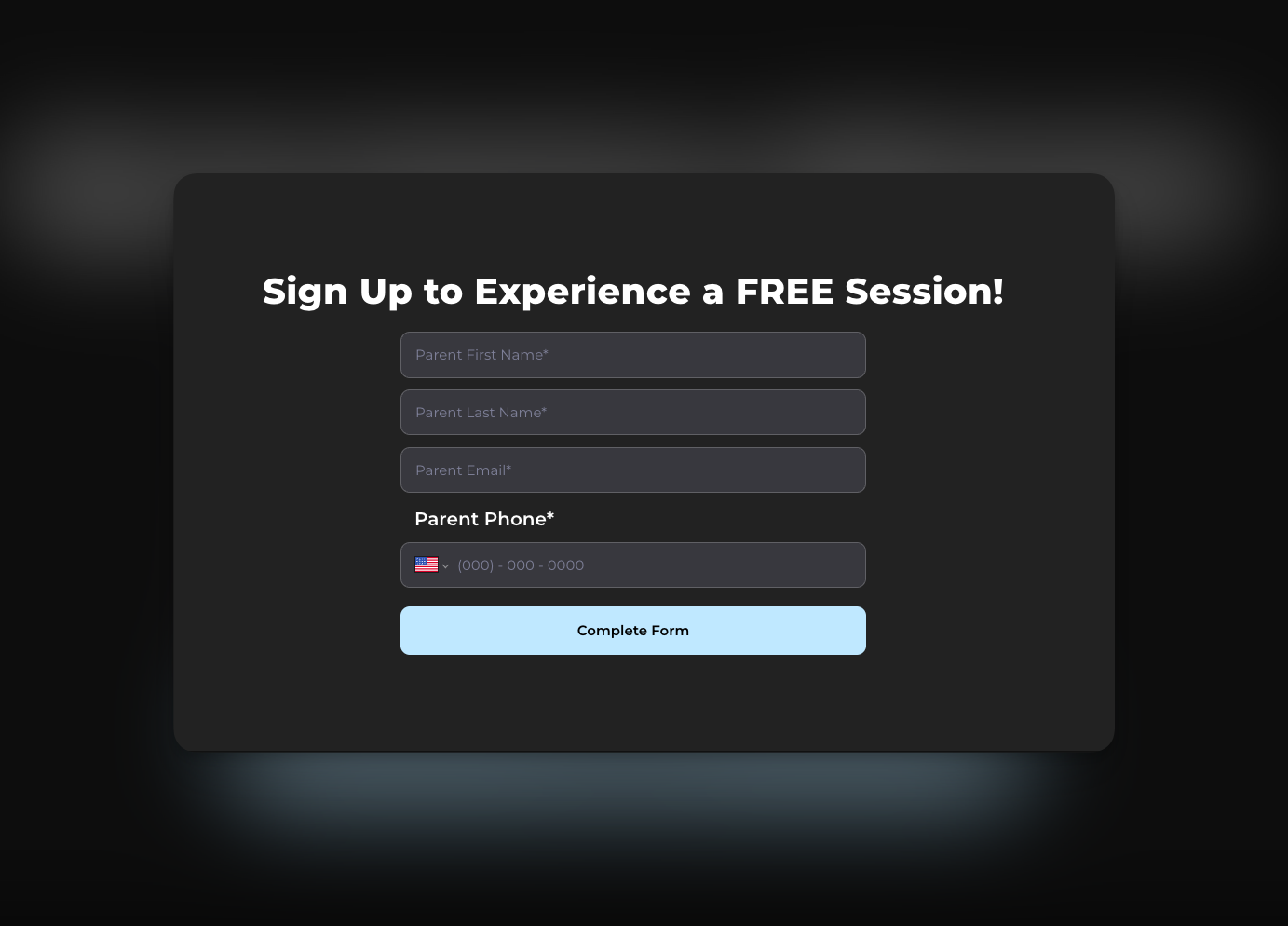
A CoachIQ form replaces the messy process of gathering athlete info via text, email, or paper. You create a form once, share the link, and responses flow directly into your system.
Common uses:
* **Lead capture** — "I'm interested in training" inquiries from your website
* **New athlete intake** — Contact info, goals, experience level, parent details
* **Camp/event registration** — Sign up + payment in one step
* **Waivers** — Liability agreements before the first session
* **Feedback** — Post-program surveys or testimonials
 ## How forms connect to CoachIQ
Forms aren't just data collection — they plug into your entire business system.
When you require login/signup, form responses automatically appear on the athlete's profile and their data syncs to your People list.
Add a product to your form to collect payment during submission — perfect for camp fees, registration deposits, or trial session charges.
Embed a scheduler so athletes can book their first session right after completing your intake form.
Trigger automated actions when a form is submitted — send a welcome message, add a tag, or assign credits.
**How connections work**: When you add Products, Schedulers, or Login/Signup to a form, each becomes a separate page in the submission flow. The athlete completes the form fields first, then proceeds through each connected page.
## Why use CoachIQ forms vs. external tools
You might be used to Google Forms, Typeform, or JotForm. Here's why CoachIQ forms work better for your coaching business:
| External Tools | CoachIQ Forms |
| ------------------------------------ | ---------------------------------- |
| Data lives in a separate system | Data connects to athlete profiles |
| Manual copy/paste to track responses | Responses appear in one dashboard |
| Can't collect payments | Add products for registration fees |
| Can't book sessions | Embed schedulers directly |
| Generic branding | Matches your CoachIQ website |
| No automation triggers | Triggers automations on submission |
**The real advantage**: Everything stays in one system. When an athlete submits a form, you don't need to manually add them anywhere — their info, payment, and booking are already connected.
## What you can build with forms
### Lead capture form
Embed on your website to capture interested families. Typical fields: "I am the" (Parent/Athlete), name, email, phone, "How did you hear about us?"
### New athlete onboarding
Collect everything before the first session: contact info, athlete age, experience level, goals, parent details, and a waiver agreement.
### Camp registration with payment
Combine info collection with payment: athlete details, t-shirt size, emergency contact, plus a product for the camp fee.
### Waiver/liability form
Display your terms and require agreement before training begins. When login is required, the signed waiver attaches to their profile.
### Testimonial collection
Request feedback and permission to share on your website. Great for building social proof.
## What forms can't do
Understanding limitations helps you build the right workflows:
* **No conditional logic** — You can't show/hide questions based on previous answers
* **No partial saves** — Athletes must complete the form in one session
* **No form duplication** — Each form is built individually
* **No field-level automation triggers** — Automations trigger on submission, but can't read specific answers (e.g., "if they selected Instagram")
* **No completion analytics** — You see total responses, not drop-off rates
## Quick glossary
| Term | Meaning |
| ----------------------- | ------------------------------------------------------------------------------------------ |
| **Field** | A single question or element on your form |
| **Contact Info fields** | Pre-built fields (name, email, phone) that sync to athlete profiles when login is required |
| **Custom fields** | Questions you create from scratch (text, dropdown, checkbox, etc.) |
| **Connections** | Products, Schedulers, or Login/Signup added to your form flow |
| **Response** | A single completed form submission |
## Next steps
Build and publish a form in under 5 minutes
Add products and schedulers to your forms
## Related articles
Learn how automated workflows trigger when forms are submitted
Understand the products you can attach to forms for payment collection
Build a scheduler to embed in your form flow for session bookings
See how form submissions connect to athlete profiles
## How forms connect to CoachIQ
Forms aren't just data collection — they plug into your entire business system.
When you require login/signup, form responses automatically appear on the athlete's profile and their data syncs to your People list.
Add a product to your form to collect payment during submission — perfect for camp fees, registration deposits, or trial session charges.
Embed a scheduler so athletes can book their first session right after completing your intake form.
Trigger automated actions when a form is submitted — send a welcome message, add a tag, or assign credits.
**How connections work**: When you add Products, Schedulers, or Login/Signup to a form, each becomes a separate page in the submission flow. The athlete completes the form fields first, then proceeds through each connected page.
## Why use CoachIQ forms vs. external tools
You might be used to Google Forms, Typeform, or JotForm. Here's why CoachIQ forms work better for your coaching business:
| External Tools | CoachIQ Forms |
| ------------------------------------ | ---------------------------------- |
| Data lives in a separate system | Data connects to athlete profiles |
| Manual copy/paste to track responses | Responses appear in one dashboard |
| Can't collect payments | Add products for registration fees |
| Can't book sessions | Embed schedulers directly |
| Generic branding | Matches your CoachIQ website |
| No automation triggers | Triggers automations on submission |
**The real advantage**: Everything stays in one system. When an athlete submits a form, you don't need to manually add them anywhere — their info, payment, and booking are already connected.
## What you can build with forms
### Lead capture form
Embed on your website to capture interested families. Typical fields: "I am the" (Parent/Athlete), name, email, phone, "How did you hear about us?"
### New athlete onboarding
Collect everything before the first session: contact info, athlete age, experience level, goals, parent details, and a waiver agreement.
### Camp registration with payment
Combine info collection with payment: athlete details, t-shirt size, emergency contact, plus a product for the camp fee.
### Waiver/liability form
Display your terms and require agreement before training begins. When login is required, the signed waiver attaches to their profile.
### Testimonial collection
Request feedback and permission to share on your website. Great for building social proof.
## What forms can't do
Understanding limitations helps you build the right workflows:
* **No conditional logic** — You can't show/hide questions based on previous answers
* **No partial saves** — Athletes must complete the form in one session
* **No form duplication** — Each form is built individually
* **No field-level automation triggers** — Automations trigger on submission, but can't read specific answers (e.g., "if they selected Instagram")
* **No completion analytics** — You see total responses, not drop-off rates
## Quick glossary
| Term | Meaning |
| ----------------------- | ------------------------------------------------------------------------------------------ |
| **Field** | A single question or element on your form |
| **Contact Info fields** | Pre-built fields (name, email, phone) that sync to athlete profiles when login is required |
| **Custom fields** | Questions you create from scratch (text, dropdown, checkbox, etc.) |
| **Connections** | Products, Schedulers, or Login/Signup added to your form flow |
| **Response** | A single completed form submission |
## Next steps
Build and publish a form in under 5 minutes
Add products and schedulers to your forms
## Related articles
Learn how automated workflows trigger when forms are submitted
Understand the products you can attach to forms for payment collection
Build a scheduler to embed in your form flow for session bookings
See how form submissions connect to athlete profiles