> ## Documentation Index
> Fetch the complete documentation index at: https://help.coachiq.io/llms.txt
> Use this file to discover all available pages before exploring further.
# Manage a Team Roster and Staff
> Add athletes, import from tags, handle roster changes, and assign staff without changing organization permissions.
Open **People → Teams**, choose the team, and use **Roster** or **Staff**. Teams must be enabled for your organization.
## Add existing athletes
1. Open the team's **Roster** tab.
2. Select **Add athletes**.
3. Search and select the intended athlete profiles.
4. Confirm the addition and review the updated roster.
If two profiles have the same name, check the identifying details before choosing. Add the participating athlete rather than their parent. Guardian contacts come from that athlete's existing family relationships.
If a person does not yet have a profile, use the normal [add-client flow](/people/adding-editing-clients) first, then return to the team.
## Import athletes from a tag
Select **Import from tag** and choose the tag you use to organize the athletes. Review the eligible athletes and import result. Parents and staff are skipped, and athletes already on the team are not added again.
This imports memberships into the current team; it does not turn the tag into an ongoing roster-sync rule. Review later roster changes in Teams.
## Read and search the roster
The roster shows the athlete, guardian information, how they joined, and when they joined. Search can match athlete and displayed guardian names.
A manually added athlete has a team membership. That action does not create a purchase or prove that a season fee has been paid. Use the relevant purchase, transaction, or subscription record to check payments.
## Move or remove an athlete
Use the athlete's roster actions to move them to another team or remove them. Confirm the intended team and athlete before saving.
Removing an athlete preserves their client profile, purchases, and past attendance. Leaving a team releases future bookings created through that team; it does not mean every unrelated booking has been canceled. Review the relevant team calendar and booking results after a change, especially when moving between teams.
Roster membership and successful session booking are separate. Adding an athlete can start roster booking on linked schedules, but capacity or other booking limits can leave sessions incomplete. Check the scheduler's booking status rather than assuming every athlete is booked.
## Add team staff
1. Open **Staff** and choose **Add staff**.
2. Select an existing member of your organization staff.
3. Choose their responsibility on this team and save.
4. Review the resulting staff card.
Responsibilities include **Head coach**, **Assistant coach**, **Coach**, and **Manager**. Use the staff card's menu to change responsibility or remove someone from the team.
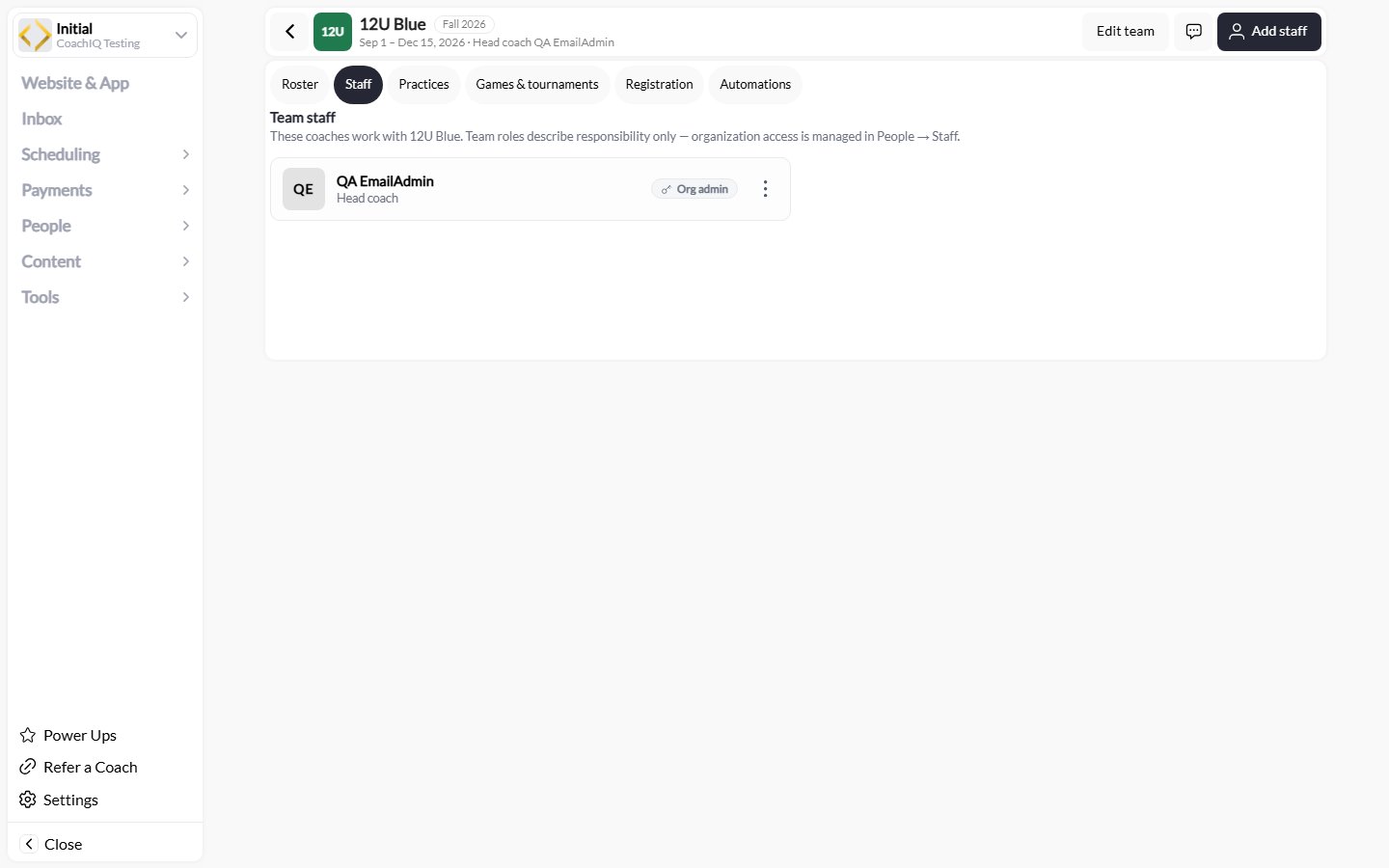 A team responsibility does not change the person's organization role or access. If you need to invite a new staff member or change permissions, use [People → Staff](/people/managing-staff).
Removing someone from team staff preserves their staff account. Check coach assignments on future sessions separately when responsibilities change.
## Keep family contacts accurate
Review the athlete's guardian relationships in their profile before sending team-wide communication. Team athletes are the session participants; guardians are family contacts. An incorrect or missing family relationship can affect who receives a team message.
[Next: connect practices and games](/people/teams/practices-and-games).
A team responsibility does not change the person's organization role or access. If you need to invite a new staff member or change permissions, use [People → Staff](/people/managing-staff).
Removing someone from team staff preserves their staff account. Check coach assignments on future sessions separately when responsibilities change.
## Keep family contacts accurate
Review the athlete's guardian relationships in their profile before sending team-wide communication. Team athletes are the session participants; guardians are family contacts. An incorrect or missing family relationship can affect who receives a team message.
[Next: connect practices and games](/people/teams/practices-and-games).