> ## Documentation Index
> Fetch the complete documentation index at: https://help.coachiq.io/llms.txt
> Use this file to discover all available pages before exploring further.
# Resources
> Track courts, rooms, and equipment — and attach them to schedulers to prevent double-booking.
## What are Resources?
Resources are physical assets your facility uses to run sessions — courts, batting cages, training rooms, or any space or equipment that can only support one session at a time. When you attach a resource to a scheduler, CoachIQ prevents that resource from being double-booked across overlapping time slots.
Resources are visible to admins and coaches only. Athletes do not see resource names or assignments during booking. A single scheduler can reserve more than one resource per session — see [Attach multiple resources to one scheduler](#attach-multiple-resources-to-one-scheduler).
 ## Creating a resource
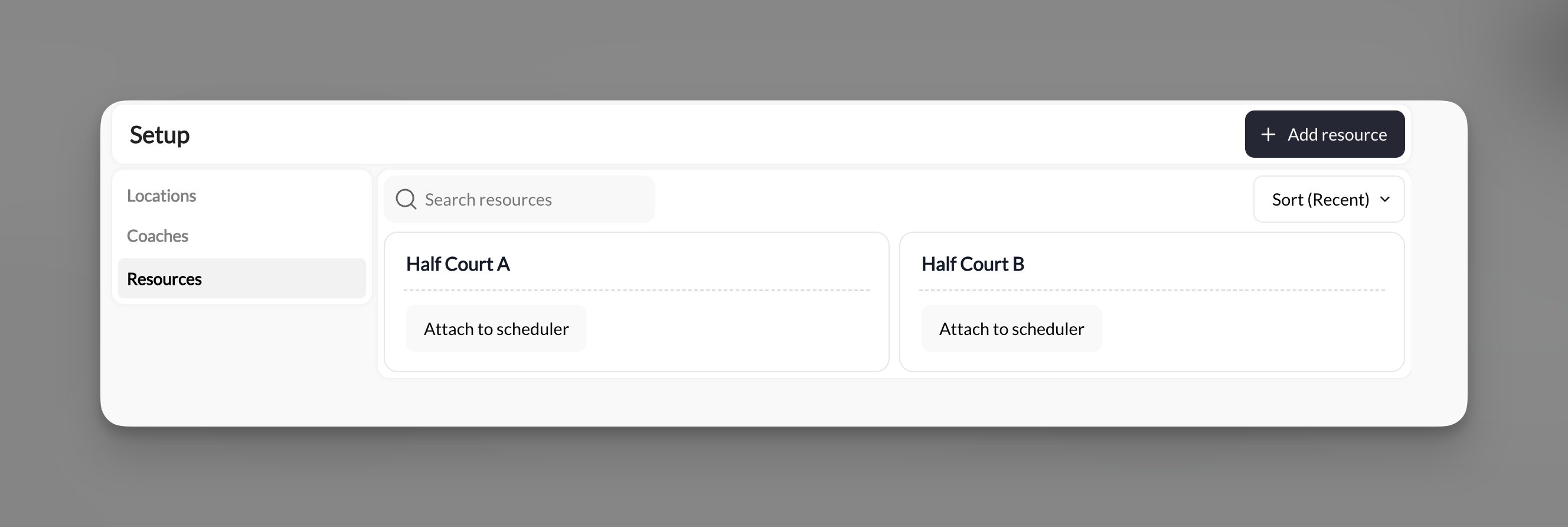
Go to **Scheduling → Setup → Resources** and click **+ Add resource**. Fill in:
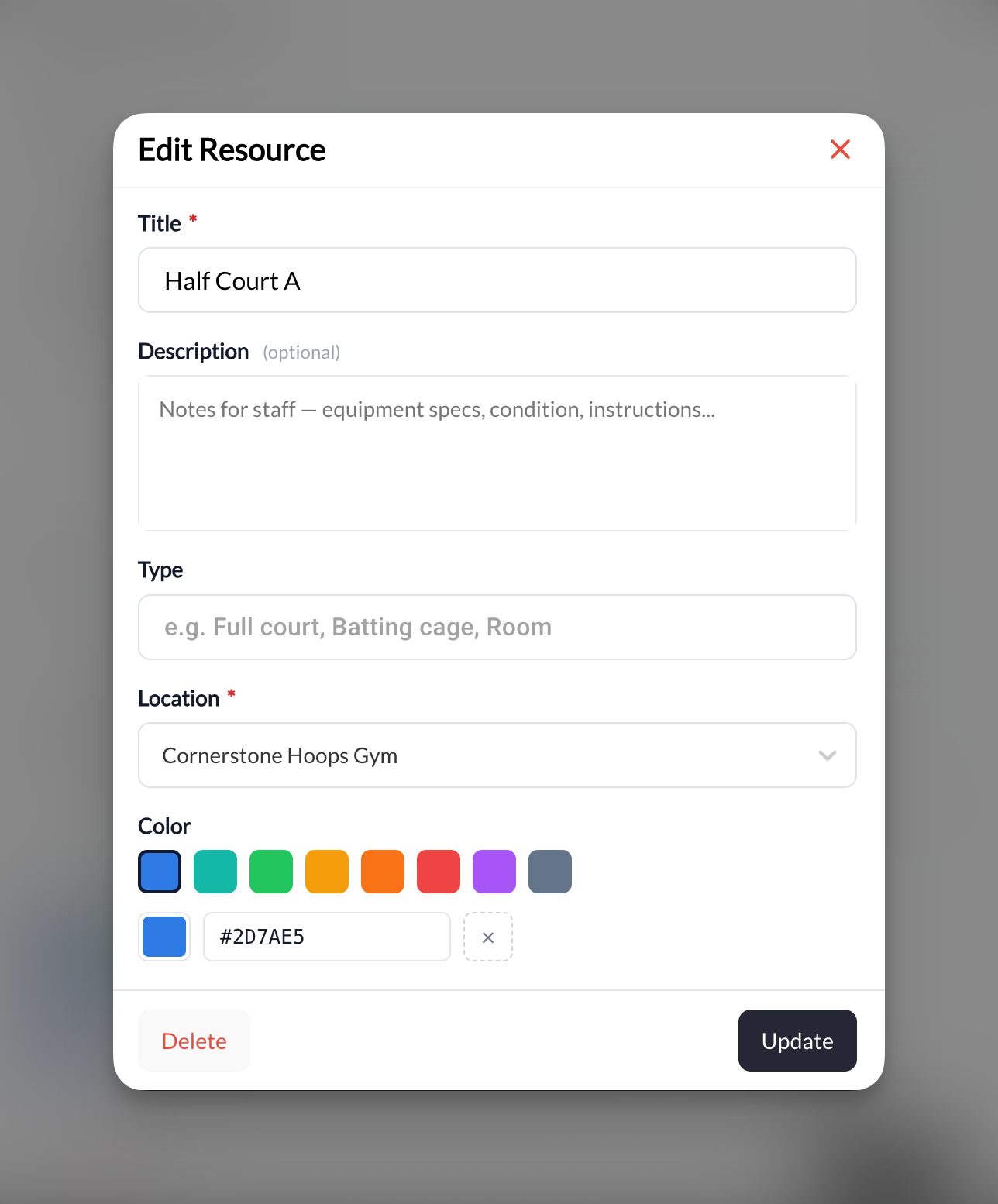
* **Title** (required) — e.g. "Half Court A"
* **Description** (optional) — internal notes for staff
* **Type** (optional) — e.g. "Full court", "Batting cage", "Room"
* **Location** (required) — which location this resource belongs to
* **Color** — identifies the resource on your calendar
## Creating a resource
Go to **Scheduling → Setup → Resources** and click **+ Add resource**. Fill in:
* **Title** (required) — e.g. "Half Court A"
* **Description** (optional) — internal notes for staff
* **Type** (optional) — e.g. "Full court", "Batting cage", "Room"
* **Location** (required) — which location this resource belongs to
* **Color** — identifies the resource on your calendar
 ## Attaching a resource to a scheduler
Two paths, same result:
* **From Setup → Resources**: click **Attach to scheduler** on the resource card
* **From inside a scheduler**: scroll to the **Resources** section and select the resource from the available list
## Attaching a resource to a scheduler
Two paths, same result:
* **From Setup → Resources**: click **Attach to scheduler** on the resource card
* **From inside a scheduler**: scroll to the **Resources** section and select the resource from the available list
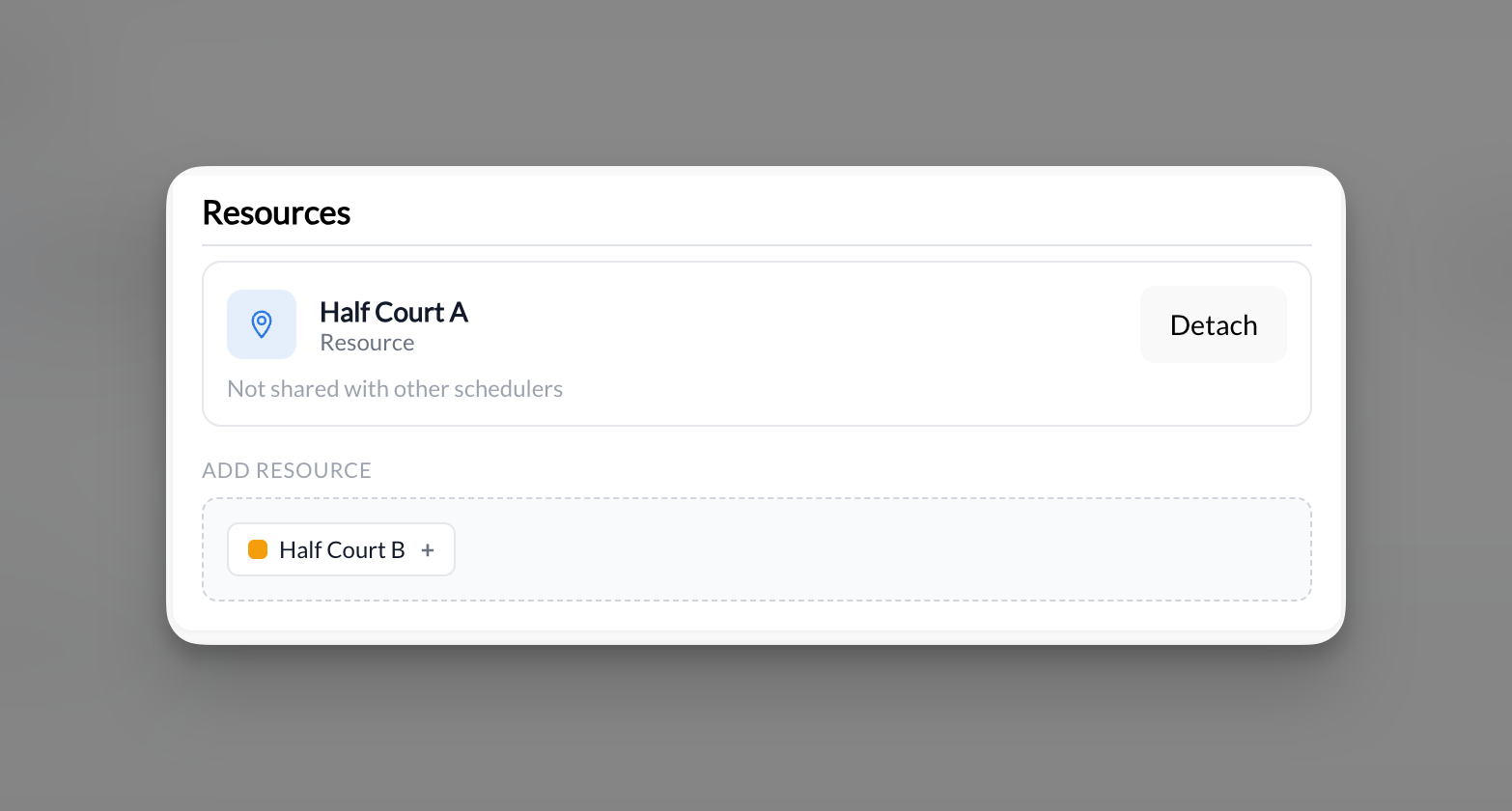 A resource can be attached to multiple schedulers at once. When a resource is exclusive to one scheduler, you'll see "Not shared with other schedulers" in the scheduler view. To remove it, click **Detach**.
## Attach multiple resources to one scheduler
A single scheduler can hold more than one resource at a time — useful when a session needs several spaces at once, like a team practice that reserves multiple batting cages.
In the scheduler's **Resources** tab, each attached resource appears as a card with a **Detach** option. If a resource is also used by other schedulers, the card shows **Shared with X schedulers** and lists them. To attach another, click a resource under **Add Resource**.
When a session from that scheduler is booked, every attached resource is reserved for that time slot, so none of them can be double-booked elsewhere.
### Example
A softball facility attaches **Cage 1**, **Cage 2**, and **Cage 3** to a "Team Practice" scheduler. Each booked practice reserves all three cages for its window, and they free up together when the session ends.
## How double-booking prevention works
Once a resource is attached to a scheduler, CoachIQ locks that resource for the duration of each booked session. If that time slot is already filled by another session using the same resource, it becomes unavailable — even if the second scheduler still has open capacity.
## Example use cases
* **Basketball facility**: "Half Court A" and "Half Court B" each attached to separate group training schedulers
* **Training room**: "Speed & Agility Room" on a conditioning scheduler prevents two coaches from booking the same room at the same time
* **Batting cage**: "Cage 1" on a hitting session scheduler ensures each session has a dedicated lane
A resource can be attached to multiple schedulers at once. When a resource is exclusive to one scheduler, you'll see "Not shared with other schedulers" in the scheduler view. To remove it, click **Detach**.
## Attach multiple resources to one scheduler
A single scheduler can hold more than one resource at a time — useful when a session needs several spaces at once, like a team practice that reserves multiple batting cages.
In the scheduler's **Resources** tab, each attached resource appears as a card with a **Detach** option. If a resource is also used by other schedulers, the card shows **Shared with X schedulers** and lists them. To attach another, click a resource under **Add Resource**.
When a session from that scheduler is booked, every attached resource is reserved for that time slot, so none of them can be double-booked elsewhere.
### Example
A softball facility attaches **Cage 1**, **Cage 2**, and **Cage 3** to a "Team Practice" scheduler. Each booked practice reserves all three cages for its window, and they free up together when the session ends.
## How double-booking prevention works
Once a resource is attached to a scheduler, CoachIQ locks that resource for the duration of each booked session. If that time slot is already filled by another session using the same resource, it becomes unavailable — even if the second scheduler still has open capacity.
## Example use cases
* **Basketball facility**: "Half Court A" and "Half Court B" each attached to separate group training schedulers
* **Training room**: "Speed & Agility Room" on a conditioning scheduler prevents two coaches from booking the same room at the same time
* **Batting cage**: "Cage 1" on a hitting session scheduler ensures each session has a dedicated lane