

Grandfathering Existing Clients: Price Increase Strategy Guide
How to raise prices for new clients while honoring existing client rates in CoachIQOverview
Raising your prices is a natural part of business growth, but you want to reward loyal clients who’ve been with you from the start. CoachIQ gives you the flexibility to increase rates for new clients while automatically maintaining existing clients at their current pricing—a strategy known as “grandfathering.” This guide walks you through the complete process of implementing a price increase that protects your existing client relationships while positioning your business for sustainable growth.Why grandfather existing clients?
Grandfathering demonstrates loyalty and builds long-term relationships. Your existing clients:- Took a chance on you when you were building your reputation
- Provide testimonials and referrals
- Create predictable recurring revenue
- Cost less to retain than new clients to acquire
Your grandfathering strategy: Choose your situation
The right approach depends on where you are in your CoachIQ journey:New to CoachIQ
Active on CoachIQ
Strategy 1: New to CoachIQ (Migration scenario)
Your situation: You’re switching to CoachIQ from another platform, spreadsheets, or manual processes. You have existing clients paying at your old rates, and you want to use this transition to implement new pricing for future clients.How it works
You’ll create two separate product sets in CoachIQ:- Legacy products - For existing clients only, not visible on your public website
- New products - For future clients, displayed on your website and athlete portal
Plan your product structure
- List each service/membership you currently offer
- Note the current price each existing client pays
- Determine if any clients have custom rates
- List the same services with your new pricing
- Decide on your new rate structure
Create your legacy products first
- Navigate to Dashboard → Products
- Click Create Product (or your new product button)
- Name it clearly to distinguish it as legacy:
- Example: “Monthly Training (Legacy - $199)”
- Example: “Group Sessions - Existing Clients”
- Set the price to your current/old rate
- Configure all other settings (billing frequency, description, etc.)
- Important: Do NOT add this product to your website or athlete portal
- Save the product
Create your new public-facing products
- Navigate to Payments → Products
- Click Create +
- Name it with your public-facing name:
- Example: “Monthly Training”
- Example: “Group Sessions”
- Set the price to your new rate
- Configure all settings identically to the legacy version
- Save the product
- Display this product on your website and athlete portal
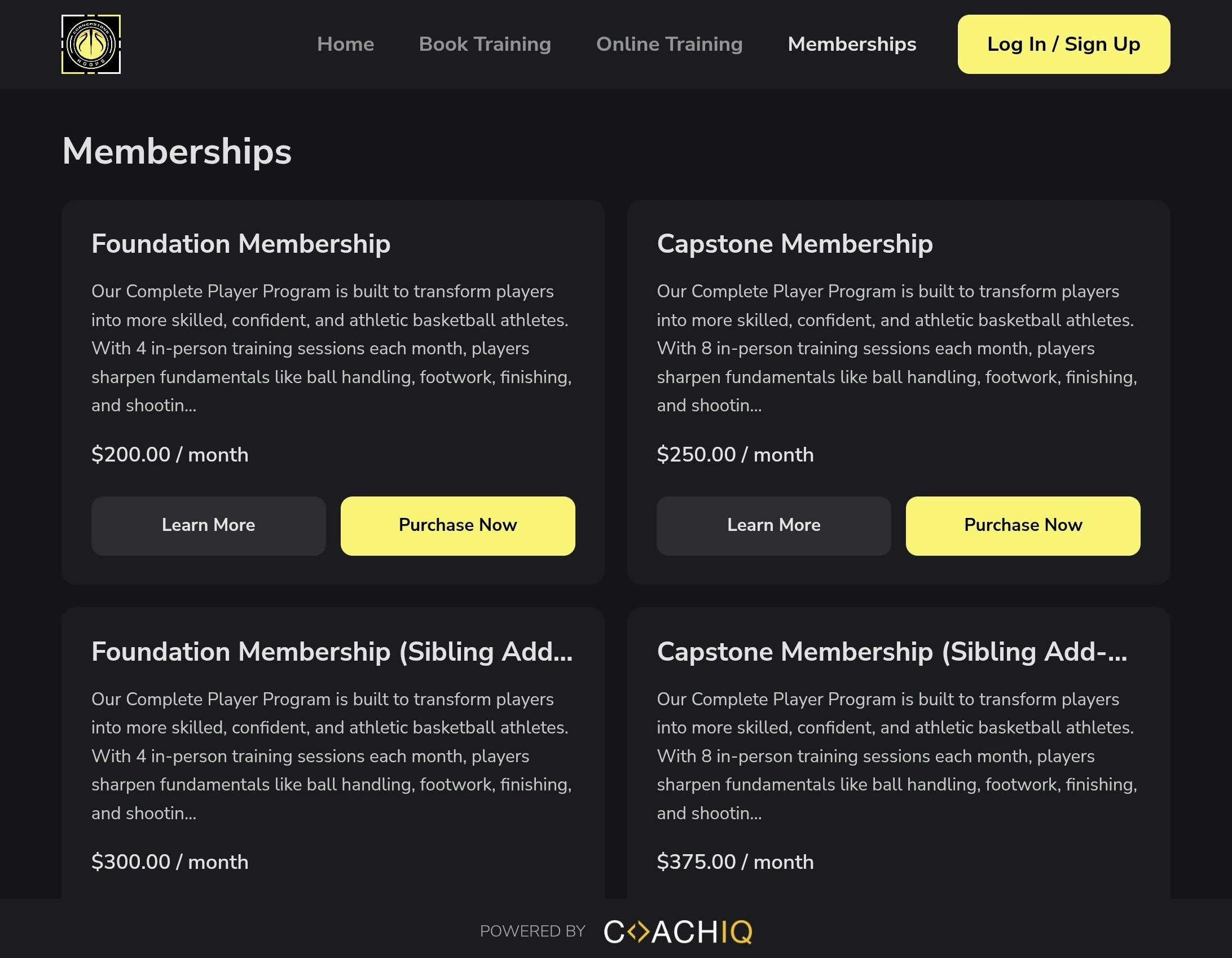
Send legacy products to existing clients
- Copy the direct link or checkout page for the legacy product
- Send personalized emails to existing clients with their specific signup link
- Include clear instructions and the price they’ll be paying
- Follow up with clients who don’t complete signup
Verify your setup
- Created with old pricing
- Named clearly for internal identification
- NOT visible on website or athlete portal
- Assigned to existing clients only
- Created with new pricing
- Public-facing professional names
- Visible on website and athlete portal
- Ready for new client purchases
Managing your dual product structure
What if an existing client wants to change their service level?
What if an existing client wants to change their service level?
- Maintain loyalty: Create a legacy version of the new service at a proportional old rate
- New pricing applies: Client moves to the new public product at current rates
- Hybrid approach: Offer a discounted rate between legacy and new pricing
How do I prevent existing clients from accidentally seeing new pricing?
How do I prevent existing clients from accidentally seeing new pricing?
- Never mention specific new pricing in group communications
- When discussing services with existing clients, reference “your current rate”
- If clients browse your public website, they’ll see new pricing—be prepared to explain your loyalty pricing structure
- Consider adding an FAQ to your website: “Current clients: Your rate remains unchanged. Contact me for your pricing.”
What happens if a legacy client cancels?
What happens if a legacy client cancels?
- Keep their client profile with notes about their legacy status
- Reassign them to their legacy product if they return (Option 1 or 2)
- Assign them to new products if your policy is Option 3
Should I create legacy products for every price variation?
Should I create legacy products for every price variation?
- 3+ clients paying the same rate
- Significantly different price points
- Different service levels or frequencies
- 1-2 clients with unique pricing
- Custom negotiated rates
- Temporary promotional rates
Strategy 2: Active on CoachIQ (Price increase scenario)
Your situation: You’ve been using CoachIQ and have active client subscriptions running through Stripe. You want to raise your prices for new clients, but existing subscriptions should remain at their current rates automatically.How it works
When you update your product pricing in CoachIQ, existing active subscriptions in Stripe automatically maintain their current rates. Only new subscriptions will use the updated pricing.Review your current products and subscriptions
- Navigate to Payments → Products
- Note which products have active subscribers
- For each product, review:
- Current pricing
- Number of active subscriptions
- Billing frequency
Update your product pricing
- Go to Payments → Products
- Select the product you want to update
- Navigate to the Pricing section
- Enter your new price
- Click Save Changes
Verify existing subscriptions remain unchanged
- Go to Dashboard → Clients
- Select a few existing clients with active subscriptions
- View their subscription details
- Confirm their billing amount shows the old rate
- Log into your Stripe dashboard
- Navigate to Subscriptions
- Review a few existing subscriptions
- Verify the price hasn’t changed
Update your website and marketing
- Review your website to ensure it reflects new pricing
- Update any marketing materials or rate sheets
- Brief team members on the new pricing structure
- Prepare talking points for sales conversations
Important considerations for active subscriptions
What if a client cancels and wants to resubscribe?
What if a client cancels and wants to resubscribe?
- “If you cancel and return within 30 days, contact me to discuss rate options”
- “Once cancelled, new pricing applies to future subscriptions”
- “Pausing is available instead of cancelling to maintain your rate”
Can I update the price for existing subscriptions if I want to?
Can I update the price for existing subscriptions if I want to?
- Access the subscription in Stripe
- Update the price for that specific subscription
- Set when the new price takes effect (immediately or next billing cycle)
- Expiration of grandfather period (with 60-90 day notice to clients)
- Service level changes requested by client
- Agreement with client to transition to new pricing
What about clients who upgrade or downgrade?
What about clients who upgrade or downgrade?
- Client cancels current subscription
- Creates new subscription at the upgraded service level
- New subscription uses your current pricing
- Manually process the upgrade through Stripe
- Set a custom price based on their legacy rate ratio
- Document the special pricing in the client’s notes
How do I track which clients have legacy pricing?
How do I track which clients have legacy pricing?
- Add a tag like “Legacy Pricing” or “Pre-2025 Rate” to grandfathered clients
- Use this tag to filter and view all legacy-rate clients
- Add a note to each client’s profile: “Legacy rate: $X, started [date]”
- Include any special terms or expiration dates
- Add custom metadata to subscriptions in Stripe
- Mark legacy subscriptions for easy identification
- Export client list with subscription details
- Track legacy vs. new pricing in a master spreadsheet
- Update monthly to monitor the transition
What happens if I change products entirely?
What happens if I change products entirely?
- Create your new product structure at new pricing
- Keep your old products for existing subscriptions
- Stop displaying old products publicly
- Gradually transition clients to new products as their subscriptions renew or they choose to upgrade
Communicating your price increase
How you communicate the change is just as important as the pricing strategy itself. Here’s a proven approach:Announcement timeline
60-90 days before: Initial announcement
- Announce the upcoming price increase
- Explain the reason (expanded services, increased experience, market alignment)
- Clearly state existing clients are grandfathered
- Provide the exact date new pricing takes effect
- Express gratitude for their loyalty
30 days before: Reminder and FAQ
- Reminder of the upcoming change
- Answers to common questions
- Emphasis that their rate remains unchanged
- Details on what new clients will pay
- Explanation of what happens if they pause/cancel
1 week before: Final notice
- New pricing takes effect in one week
- Their rate is still protected (if applicable)
- New client pricing listed for their reference
- Encourage referrals before the rate change
On effective date: Confirmation
- Confirm the change is live
- Thank existing clients again
- Update your website and marketing materials
- Brief team members on how to discuss pricing
Message tone and positioning
DO say
- “Your loyalty matters to me”
- “Your current rate remains unchanged”
- “This helps me continue providing excellent service”
- “New clients will invest [new amount]”
DON'T say
- “I have no choice but to raise prices”
- “Costs are going up everywhere”
- “You’re getting a special deal”
- “I’m sorry for the inconvenience”
Using CoachIQ’s communication tools
Send your announcement efficiently:- Dashboard → Inbox → New Message
- Select clients you want to message
- Craft your message using the template above
- Schedule for optimal send time
Business considerations and FAQs
How much should I increase my prices?
How much should I increase my prices?
- 10-15%: Standard annual increase for inflation and experience
- 20-30%: Significant service improvements or market repositioning
- 30%+: Major business transformation or premium positioning
- Researching competitor pricing in your area
- Surveying new client willingness to pay
- Calculating your true cost of service delivery
- Considering your experience and results
What if an existing client refers someone?
What if an existing client refers someone?
When should I eventually move everyone to new pricing?
When should I eventually move everyone to new pricing?
- It’s been 18-24 months since the increase
- Your service offering has significantly changed
- The price gap becomes too large (40%+ difference)
- You’re ready for another strategic increase
How do I handle clients on payment plans?
How do I handle clients on payment plans?
- Honor the current plan: Let them finish at the agreed rate
- Document in their profile: Note when the plan ends
- Set a reminder: Schedule follow-up for plan completion
- Offer renewal options: When plan ends, offer new pricing with option to renew at a middle-tier rate as a loyalty bonus
- View payment plans under Dashboard → Payments
- Add notes to each client’s profile about grandfathered status
- Client’s scheduled payments will continue at agreed amounts
What about family or group discounts?
What about family or group discounts?
- Old pricing: 160)
- New pricing: 200)
How do I prevent accidentally charging legacy clients new rates?
How do I prevent accidentally charging legacy clients new rates?
- Tag legacy clients in CoachIQ with “Grandfathered” tag
- Add detailed notes to client profiles about their rate and start date
- Create a reference spreadsheet of all legacy pricing
- Review before any subscription changes involving legacy clients
- Train team members if you have staff on the pricing structure
Should I tell new clients about grandfathered pricing?
Should I tell new clients about grandfathered pricing?
- New clients may feel they’re overpaying
- Creates pressure to negotiate rates
- Diminishes perceived value of your services
Advanced grandfathering strategies
Progressive price increases
Instead of one large jump, implement gradual increases: Year 1: Grandfather existing clients, new clients at +15%Year 2: Previous “new clients” grandfathered, newest clients at +15%
Year 3: All clients moved to unified rate with 90-day notice This creates multiple price tiers that gradually converge over time.
Grandfather expiration with benefits
Set a 12-18 month grandfather period with this promise: “Your rate is protected for the next 18 months. When pricing adjusts, you’ll receive:- 60-day advance notice
- A free month of service
- Priority booking privileges
- First access to new programs”
Value-add instead of price freeze
Rather than maintaining old rates indefinitely, offer enhanced value: “Your monthly rate increases to [new amount], but you now receive:- Extra session per month
- Access to group training
- Priority scheduling
- Monthly video programming”
Quick reference checklist
Print or save this checklist when implementing your price increase:For New CoachIQ Users (Migration)
Pre-migration (60-90 days before):- Map out all current services and pricing
- Decide on new pricing structure
- Create client list with current rates each pays
- Draft announcement message for existing clients
- Finalize referral and cancellation policies
- Create all legacy products in CoachIQ at old rates
- Create all new products at new pricing
- Ensure only new products are visible on website/portal
- Test that legacy products are not publicly visible
- Prepare client signup instructions
- Import or add all existing clients to CoachIQ
- Assign each client to appropriate legacy product
- Send personalized signup links/instructions
- Process initial payments or set up subscriptions
- Verify all existing clients are set up correctly
- Enable new products for public purchase
- Update all marketing materials
For Active CoachIQ Users (Price Increase)
Pre-increase (60-90 days before):- Decide on new pricing structure
- Document current pricing and active subscriptions
- Tag all current clients as “Grandfathered”
- Add notes to client profiles about legacy rates
- Draft announcement message
- Review and finalize referral policy
- Send initial announcement to all existing clients
- Make yourself available for questions
- Send FAQ follow-up at 30 days
- Make personal calls to top clients
- Update internal documentation
- Send final reminder to existing clients
- Update product pricing in CoachIQ
- Verify existing subscriptions maintained old rates
- Update website pricing
- Update all marketing materials
- Brief team on new structure
- Send confirmation message on launch day
- Monitor client retention daily for first week
- Respond quickly to any pricing questions
- Track new client conversion rates
- Review for any accidental billing errors
- Collect feedback from new clients on pricing
- Celebrate your business growth!
Next steps
Now that you understand how to implement grandfathered pricing:- Identify your situation: Are you migrating to CoachIQ or already active?
- Choose your strategy: Follow Strategy 1 or Strategy 2 based on your situation
- Set your timeline: Pick an implementation date 60-90 days out
- Set up your products: Configure CoachIQ according to your chosen strategy
- Draft your message: Write your client announcement
- Get feedback: Run your approach by a mentor or business coach