

The three product types
You choose the type when you create the product. See Product types to choose between them.
Access codes unlock a product. They are not discounts. To reduce a price, use a coupon.
The Products page
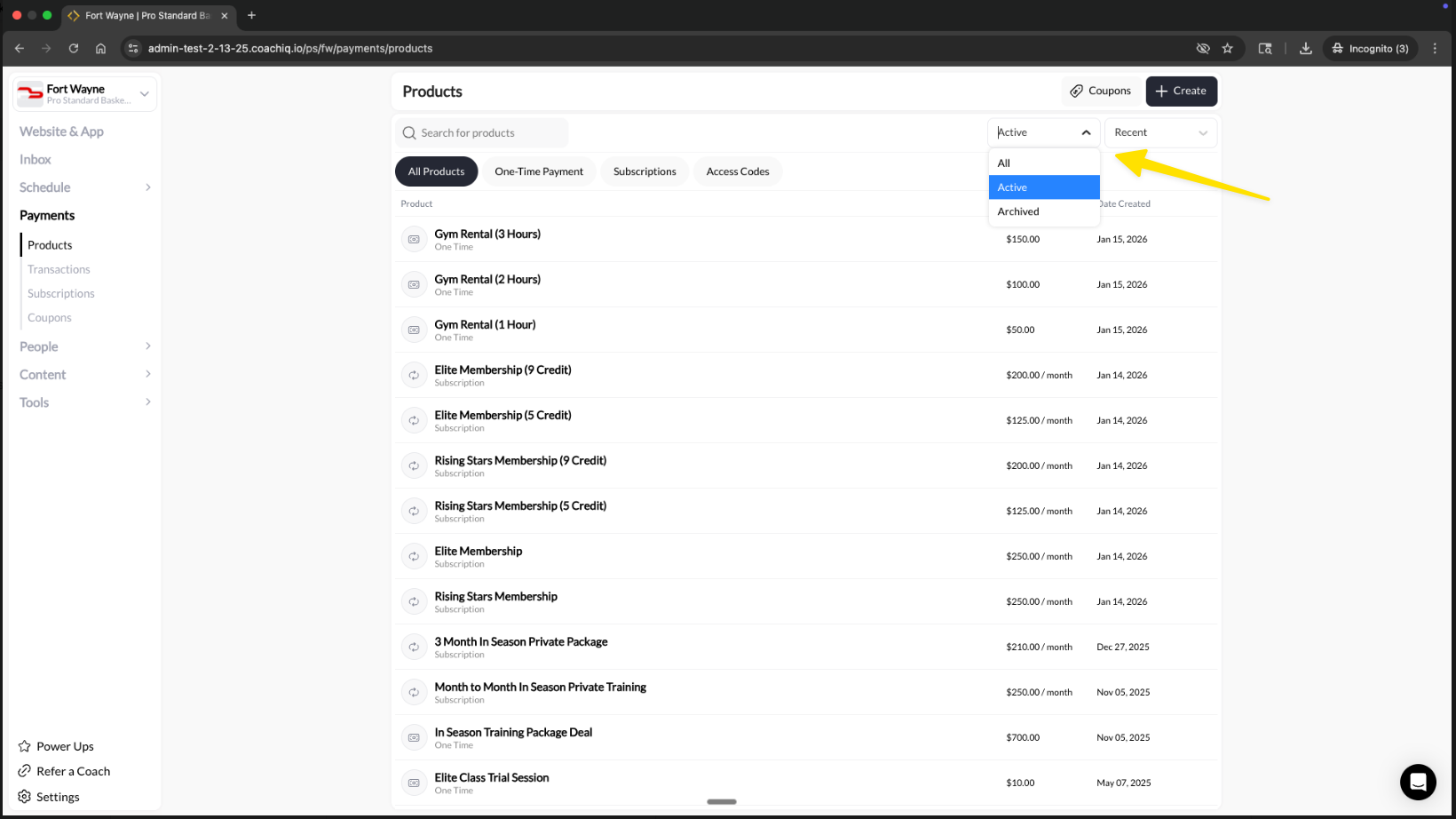
The Products page lists your products with their price and creation date. Use the tabs to filter by type: All Products, One-Time Payment, Subscriptions, and Access Codes. Use the status filter to switch between Active, Archived, and All, and the search box to find a product by name.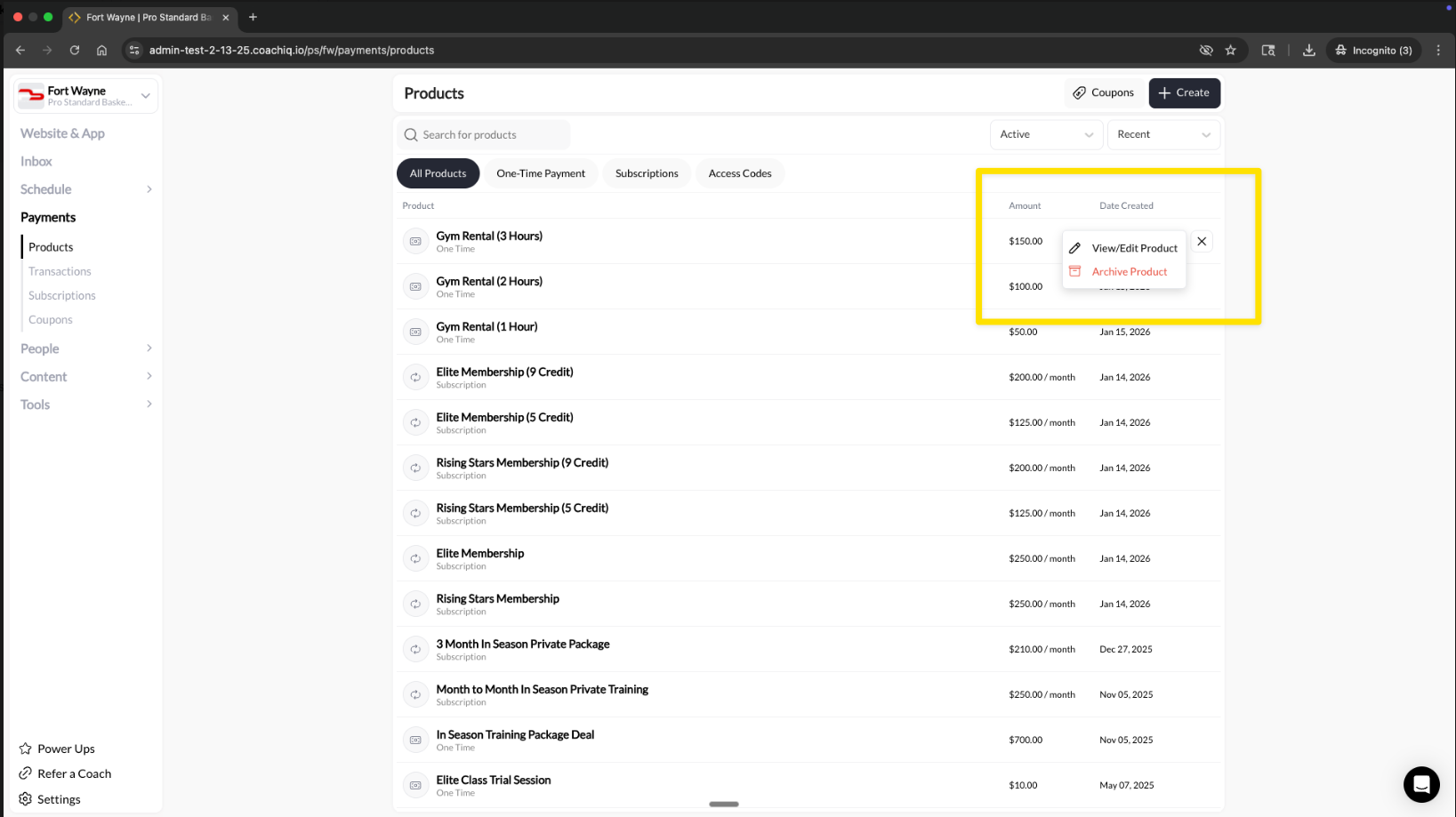
Create a product
1
Start a new product
Go to Payments → Products and select + Create. Choose One-Time, Subscription, or Access Code.
2
Enter the details
Add a name, a description, and any feature bullets. Families see these at checkout.
3
Set the payment
Enter the price. For a subscription, set how often it bills. Add credits if the purchase should pay for sessions.
4
Save
Select the create button at the top right of the builder, for example Create Subscription.
Where families find a product
Saving a product doesn’t show it to anyone. Families can only buy it after you place it somewhere or share its link:
Because nothing is public until you place it, you can build products ahead of time and add them when you’re ready to sell. There is no separate draft mode.
Archive a product
Archive a product to stop selling it. Open the row menu on Payments → Products and select Archive Product, or select Archive at the top of the Product Builder. When a product is archived:- No one can complete a purchase, including through its direct link.
- Existing purchases, subscriptions, and credits stay as they are. Cancel a subscription separately if it should stop billing. See Managing subscriptions.
- Transaction history is kept.
- It isn’t removed from pages, schedulers, or forms where you placed it. Remove it there so families don’t see an offer they can’t buy.
Good to know
- Stripe: Paid products are created in your connected Stripe account, so you will also see them in Stripe.
- Edits apply going forward: Changing a product affects new purchases. Existing transactions, subscriptions, and issued credits keep what they had when they were bought.
- Fees: Each product chooses whether the family pays a processing fee on top of the price. See Processing fees.
- Credits are optional: Many products only take payment. Turn on credits when the purchase should pay for future sessions. See Credits overview.
Next steps
- Product types: choose One-Time, Subscription, or Access Code
- Product Builder reference: every setting in the builder
- Use products in schedulers, programs, and forms