

Where to find Content: Dashboard → Content (in main navigation)
How online coaching content works in CoachIQ
Think of CoachIQ’s content system like building an online course: you gather your training videos and images (Media Hub), create engaging interactive lessons (Lesson Builder), and package everything into a training program your athletes can access (Programs). Here’s the key insight: Athletes only see Programs. They never access your Media Hub or see your raw lessons—they experience the polished, packaged program you’ve created for them in the Athlete Portal.Media Hub
Your storageUpload and organize all your images and videos. This is your content library.
Lessons
Your building blocksCreate interactive, swipeable experiences using your media. Think Instagram Stories for coaching.
Programs
Your deliveryPackage lessons and media into structured courses that athletes access in the app.
How to create training content for athletes
1
Upload your media
Add videos, images, and training content to your Media Hub. Organize with tags for easy access later.Example: Upload 10 shooting drill videos and tag them “Shooting Drills”
2
Create lessons (optional but powerful)
Build interactive lessons using your media. Add text overlays, quizzes, buttons, and even let athletes upload their own videos for review.Example: Create a “Shooting Form Basics” lesson with 5 slides—video demo, key points, quiz, and upload prompt
3
Build your program
Combine lessons and standalone media into a structured program. Set the order, choose how content unlocks, and decide on pricing.Example: Create “30-Day Shooting Program” with 10 lessons and 5 bonus drill videos
4
Share with athletes
Publish your program as free, paid, or private. Athletes access it through their Athlete Portal and work through the content.Example: Sell access for $49, or assign it free to your current training clients
How athletes access your training programs
When an athlete opens your program in their app, they see:- Program overview: Your thumbnail, title, and chapter list
- Progress tracking: Which chapters they’ve completed (e.g., “3 of 10 complete”)
- Lesson experience: Swipeable, Instagram Stories-style content they tap through
- Interactive elements: Quizzes to answer, forms to fill out, videos to watch
Athletes navigate between lessons by completing each one. If you set your program to “Complete & Progress” mode, they must finish each chapter before the next one unlocks—perfect for structured courses.
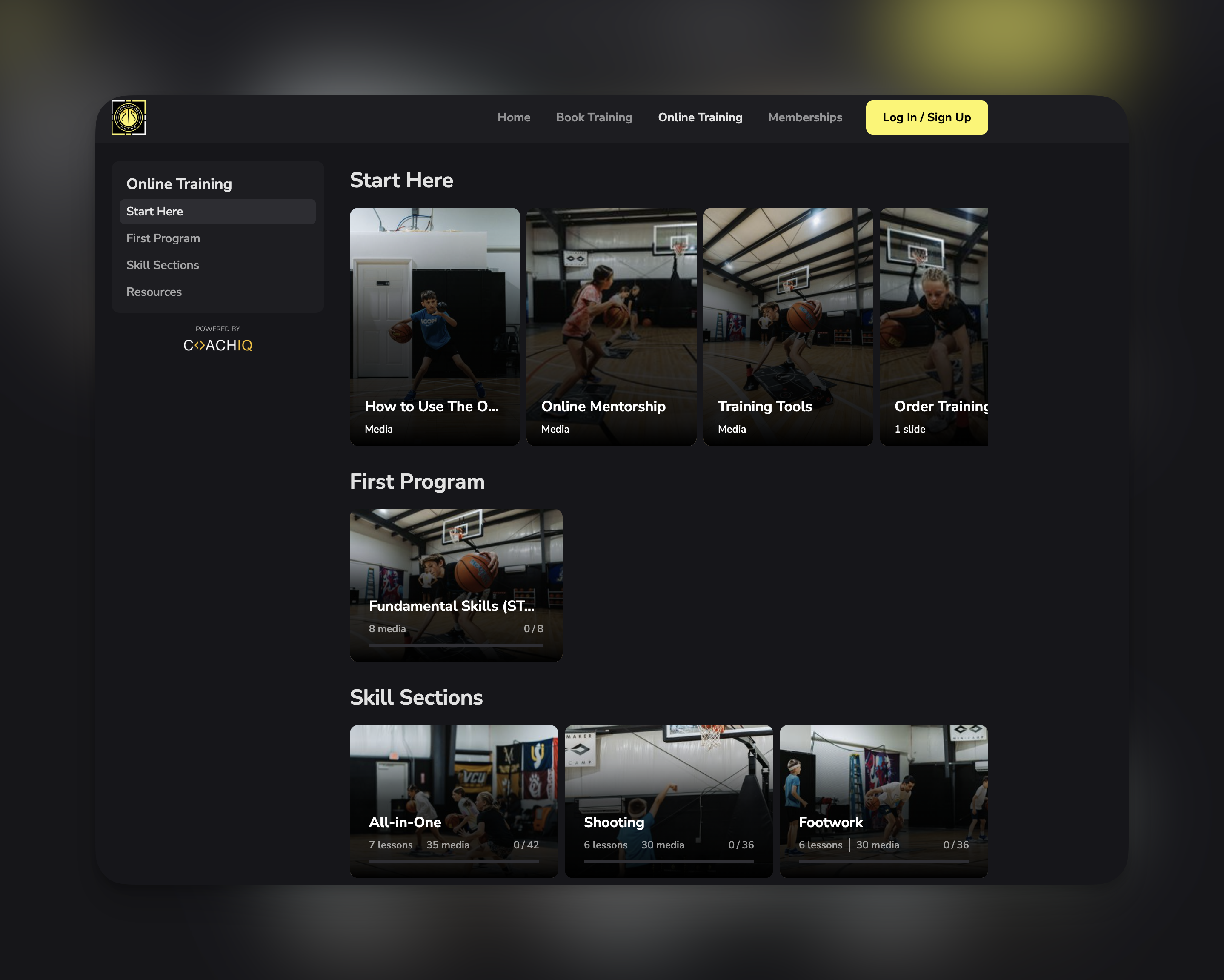
Understanding Media Hub, Lessons, and Programs
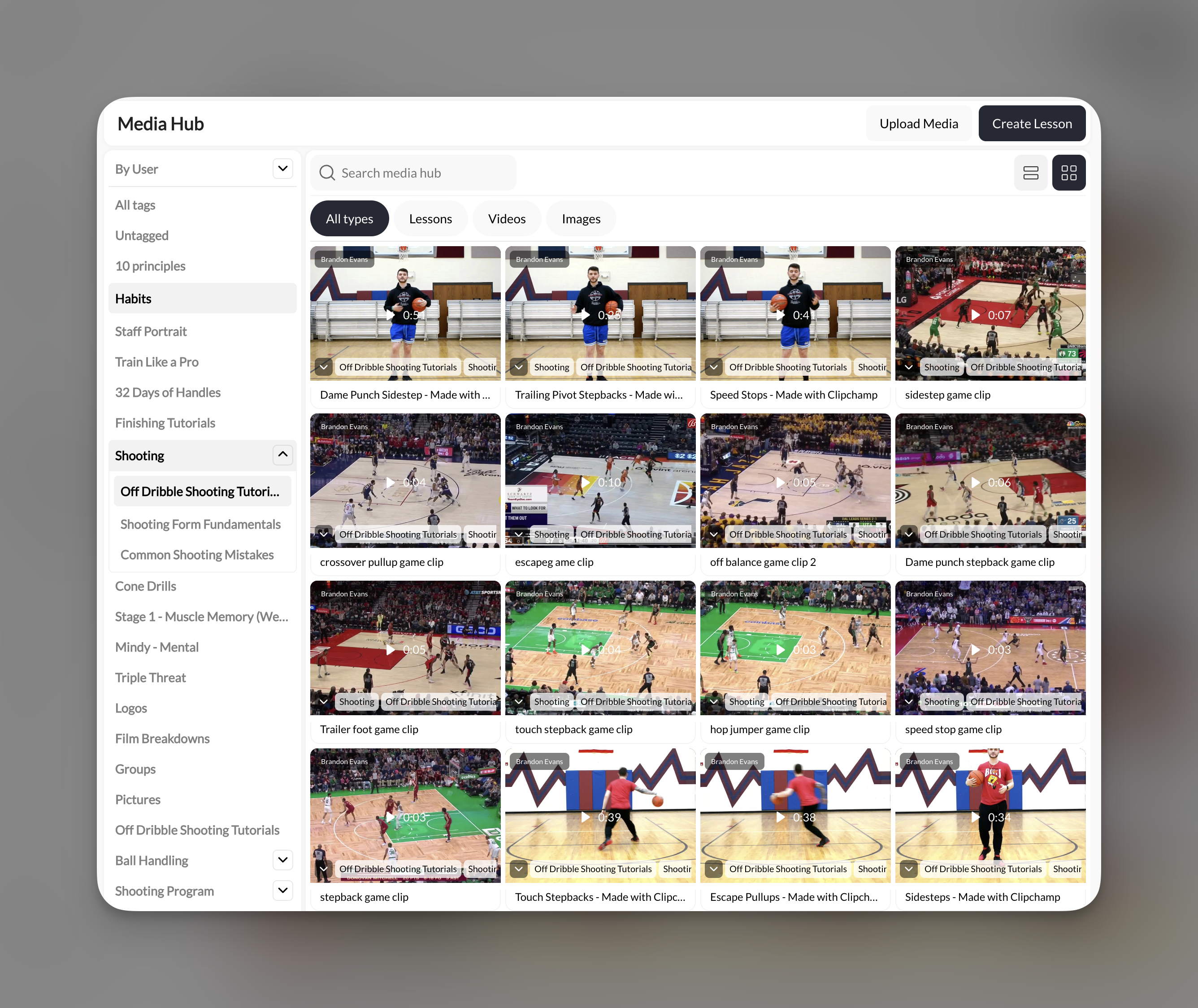
Media Hub
Your central storage for all images and videos. Key things to know:- Supports all file types except PDFs
- Unlimited storage—no caps on how much you can upload
- Tag-based organization—create nested tags like “Drills → Shooting → Layups”
- Direct integration—pull media into lessons and programs with a click
Lessons
Interactive, slide-based content your athletes swipe through. Each lesson can include: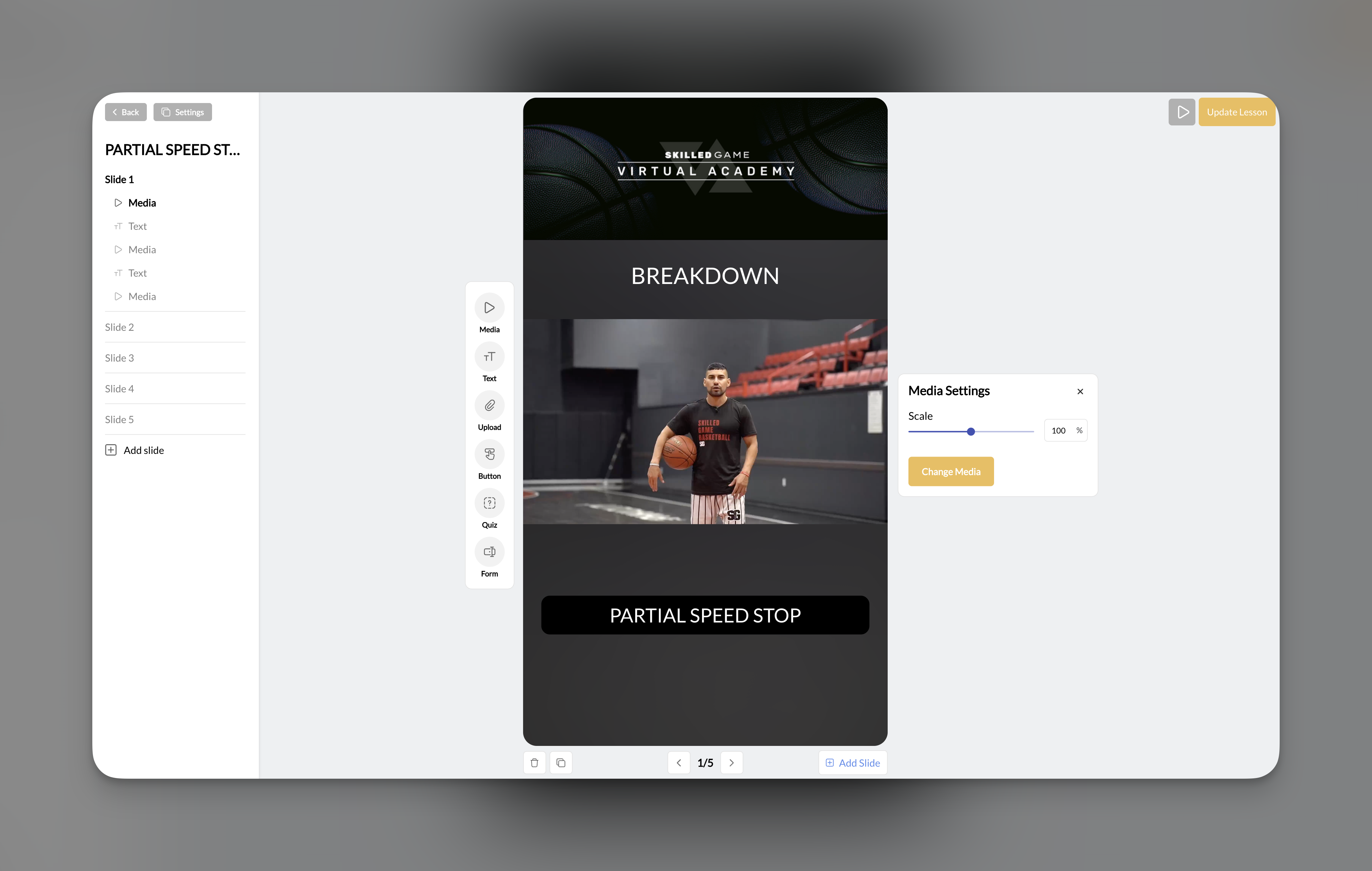
Programs
The container that holds everything together. Programs can include:- Lessons (interactive, multi-slide content)
- Standalone media (individual videos or images)
- Any mix of both

How to sell or share your coaching programs
Every program can be configured with different access levels:
You can combine these—for example, a paywalled program that’s also privately assigned to specific athletes.
Connecting to payments: When you paywall a program, you link it to one or more Products you’ve created in CoachIQ. Any athlete who purchases that product automatically gets access to the program. Learn more about attaching products.
Ways coaches use digital training content
Sell an online training course
Sell an online training course
Create a program with structured lessons covering your training methodology. Set it to “Complete & Progress” so athletes work through content in order. Paywall it with a one-time purchase price or monthly subscription.
Deliver bonus content to in-person clients
Deliver bonus content to in-person clients
Upload workout videos and create programs your current athletes can access for free. Set programs to private and assign them to specific clients. They get at-home workouts that complement their in-person sessions.
Run a video analysis service
Run a video analysis service
Create lessons with an Upload element where athletes submit videos of themselves. Review their submissions and provide feedback through the platform. Great for remote coaching or form checks.
Build a certification program
Build a certification program
Structure lessons with quizzes and forms to assess understanding. Use “Complete & Progress” mode so athletes must pass each section. Track completion through program stats.
Tips for creating online coaching content
Quick tips for success:- Start with media: Upload your videos and images first. Everything else builds on your media library.
- Keep lessons focused: Each lesson should cover one concept or drill. It’s better to have more short lessons than fewer long ones.
- Test as an athlete: Use the preview feature to see exactly what athletes will experience before publishing.
- Organize with tags: Good tagging in Media Hub makes building lessons and programs much faster.
Next steps
Uploading & Organizing Media
Start by getting your videos and images into CoachIQ’s Media Hub.
Creating Interactive Lessons
Learn how to build engaging, swipeable lessons your athletes will love.
Building Programs
Package your content into structured programs athletes can access.
Sharing & Selling Programs
Configure pricing, access, and delivery options for your programs.
Frequently asked questions about CoachIQ content
Do I need to create lessons, or can I just add videos to a program?
Do I need to create lessons, or can I just add videos to a program?
You can do either! Programs support both interactive lessons AND standalone media files. If you just want to share a collection of videos, add them directly as media. If you want a more engaging experience with text, quizzes, and athlete uploads, create lessons.
Can athletes download my videos?
Can athletes download my videos?
By default, athletes stream content—they don’t download it. If you want to provide downloadable files, use a Button element in a lesson with the “downloadable link” option.
Where do quiz and form responses go?
Where do quiz and form responses go?
All responses from quizzes and forms within lessons are collected at the program level. You can view them in the Stats section of your Program Builder.
Can I use the same lesson in multiple programs?
Can I use the same lesson in multiple programs?
Yes! Once you create a lesson, it appears in your Media Hub and can be added to any program. This is great for reusing foundational content across different courses.
What's the difference between Media Hub and Google Drive?
What's the difference between Media Hub and Google Drive?
Media Hub is your replacement for Google Drive within CoachIQ. It’s built specifically for coaching content—easier to organize, directly integrates with lessons and programs, and your athletes access content through a professional app experience rather than shared links.
Related articles
Understanding Products
Create the payment products you link to paywalled programs.
Attach Products to Content
Learn how to connect products to programs for paywalled access.
Your Athlete Portal
Configure the branded app where athletes access your programs and content.
Content in the Athlete Portal
Manage which programs and content appear in your athlete app.