

Where to find this: People → [Athlete Name] → Block or Remove (in the left sidebar under the PROFILE section)
Block a user
1
Open the athlete's profile
Go to People, then click the athlete’s name to open their profile.
2
Select Block or Remove
In the left sidebar under the PROFILE section, click Block or Remove.
3
Click Block User
Click the Block User button. A modal will appear.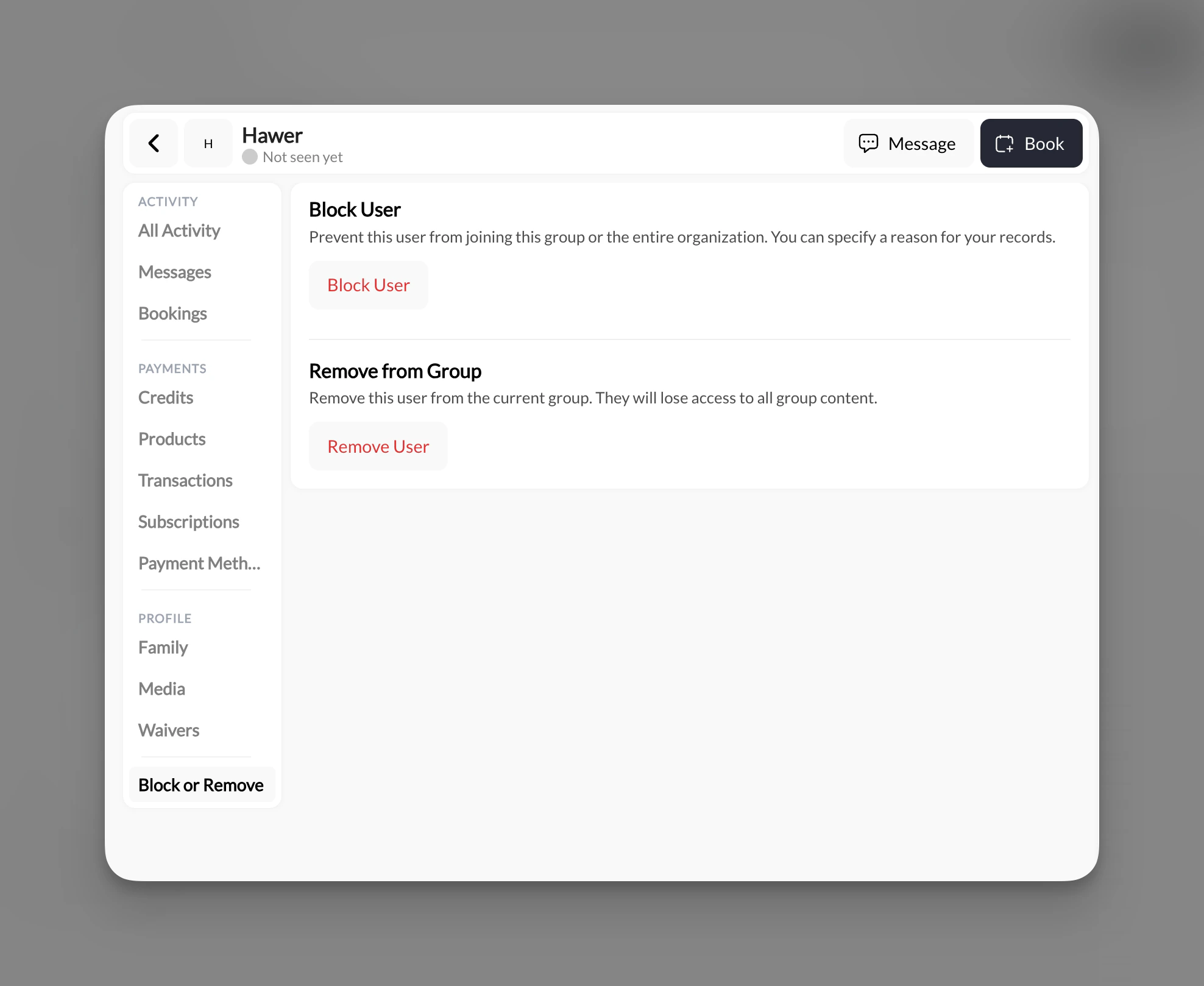
4
Choose a scope
Select the scope of the block: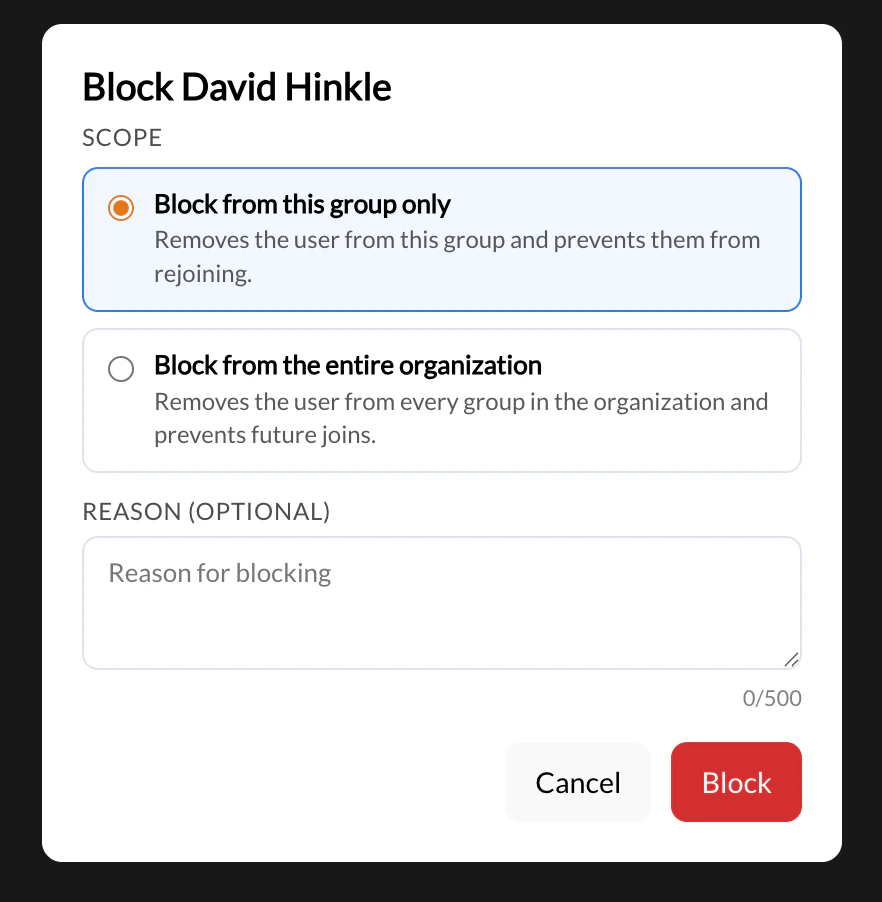
- Block from this group only — Removes the athlete from this group and prevents them from rejoining.
- Block from the entire organization — Removes the athlete from every group in the organization and prevents future joins.
5
Add an optional reason
Enter a reason in the Reason (Optional) field (up to 500 characters). This is for your internal records and is not shown to the athlete.
6
Confirm
Click Block to apply. The athlete is removed immediately.
Remove from group (without blocking)
If you want to remove an athlete from the current group without blocking them from rejoining, use Remove from Group instead of Block User.- Remove from Group — Removes the athlete from the current group. They lose access to all group content but are not prevented from rejoining or joining other groups.
- Block User — Removes the athlete and actively prevents them from rejoining (group-level or org-wide, depending on the scope you select).
Manage your blocklist
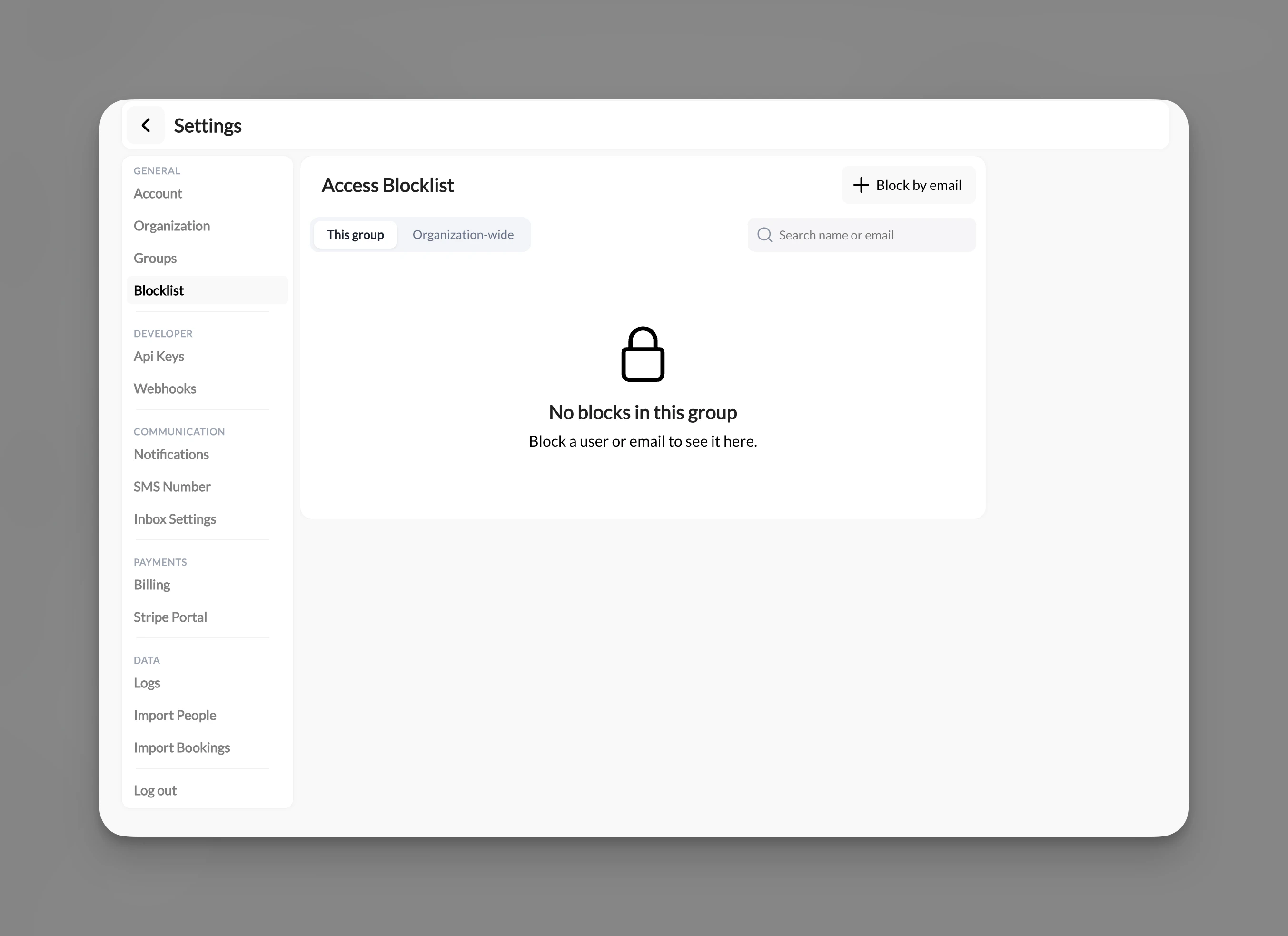
All blocked athletes are tracked in one place.- Go to Settings in the left navigation.
- Click Blocklist.
- Use the This group and Organization-wide tabs to view blocks by scope.
Block by email address
You can pre-emptively block someone who has not yet joined your organization. On the Blocklist page, click + Block by email in the top right and enter their email address. This prevents them from joining even if they attempt to sign up.Can I permanently delete an athlete's account?
Can I permanently delete an athlete's account?
No. CoachIQ does not support permanently deleting a user account. Blocking an athlete from your organization is the closest equivalent — it removes them from all groups and prevents future access. Their historical data (past sessions, transaction records) is retained.
What's the difference between Block User and Remove from Group?
What's the difference between Block User and Remove from Group?
Remove from Group removes the athlete from the current group and revokes their access to that group’s content. They can still rejoin or be added to other groups.Block User goes further — it actively prevents the athlete from rejoining. You choose the scope: block from this group only, or block from the entire organization.
Can I unblock someone?
Can I unblock someone?
Yes. Go to Settings → Blocklist, find the athlete under the This group or Organization-wide tab, and remove the block. They will regain the ability to join your group or organization.
Can I block someone who hasn't joined yet?
Can I block someone who hasn't joined yet?
Yes. On the Blocklist page, click + Block by email and enter the person’s email address. This prevents them from joining your organization even before they create an account or attempt to sign up.