

Add a reminder
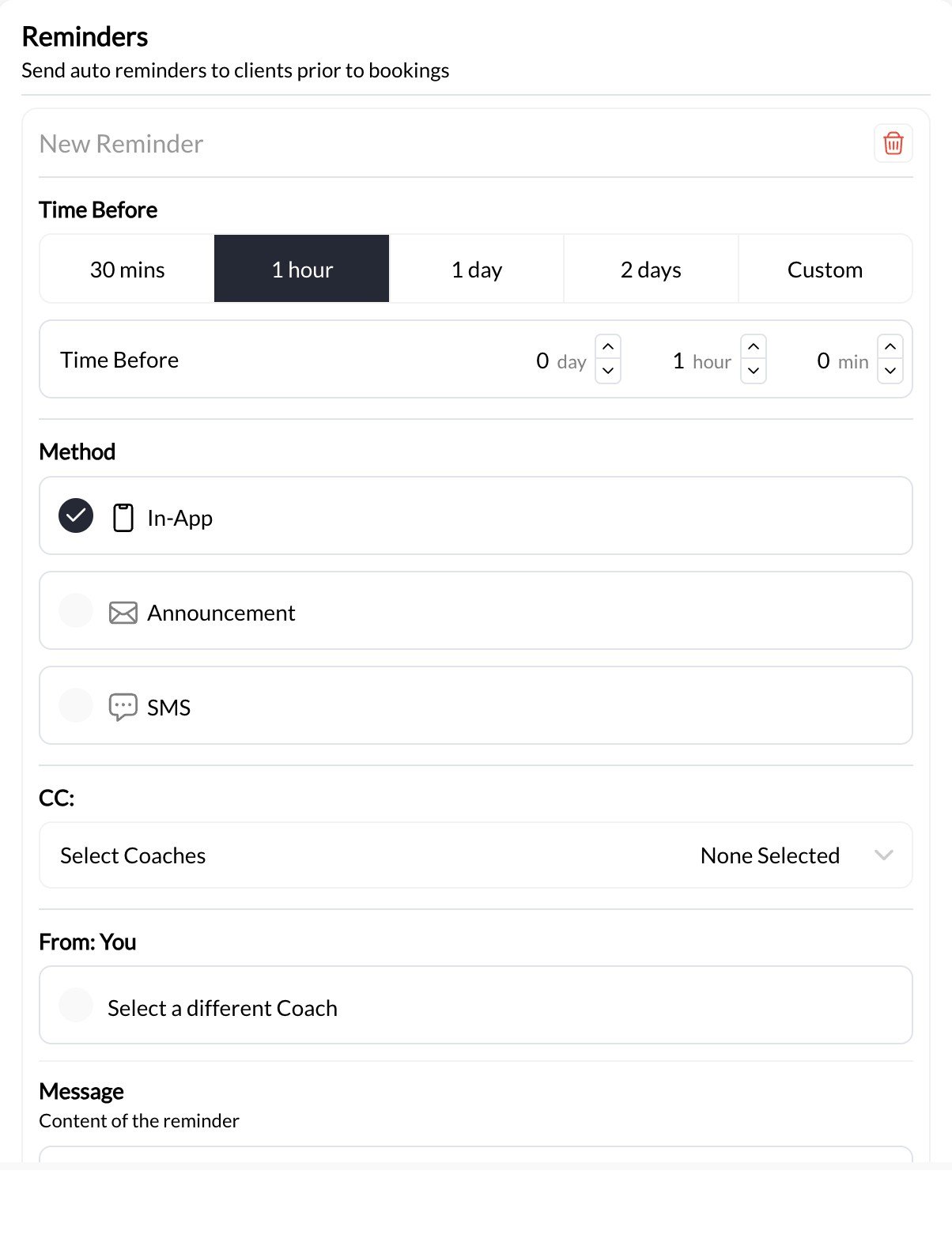
- Open the scheduler’s Reminders section and add a reminder.
- Choose how long before the session it should send. Presets include 30 minutes, 1 hour, 1 day, and 2 days, or use a custom interval.
- Choose the delivery method: SMS, Announcement, or In-app.
- Write a short message with any preparation instructions. Use the editor’s supported fields for session-specific information rather than typing unverified template variables.
- Save the scheduler. Repeat for another reminder if you need both an advance notice and a day-of reminder.
Understand the message types
Turning off Notify participants while editing a session does not turn off its scheduled reminders or your own automations. A New Booking automation may also run when a booking is rescheduled.
Families and duplicate reminders
Check the athlete’s connected parents when reviewing delivery. A parent may receive reminders for their child’s session even when someone else made the booking. CoachIQ avoids sending an identical reminder multiple times to the same person for the same occurrence—for example, when a parent has two children booked into that session. Separate reminder rules or automations can still produce separate messages.What happens after a time change
Changing only the duration does not resend an already-sent reminder. Moving the start time by less than an hour also does not resend it. For a move of an hour or more, a fresh reminder can send if its new scheduled send time is still in the future. CoachIQ does not send a late catch-up reminder for a send time that has already passed. Review the notification choices in the change dialog if participants need to know about the move immediately. See Move and reschedule bookings for those notification controls.Troubleshoot a missing reminder
- Confirm the athlete is booked into the intended occurrence.
- Check this scheduler’s saved reminder timing and channel.
- Compare the session time, timezone, and reminder send time.
- Check the recipient’s contact information and family connections.
- For SMS, review your SMS setup and SMS credits.
- Check whether another message came from an automation or a different reminder rule.