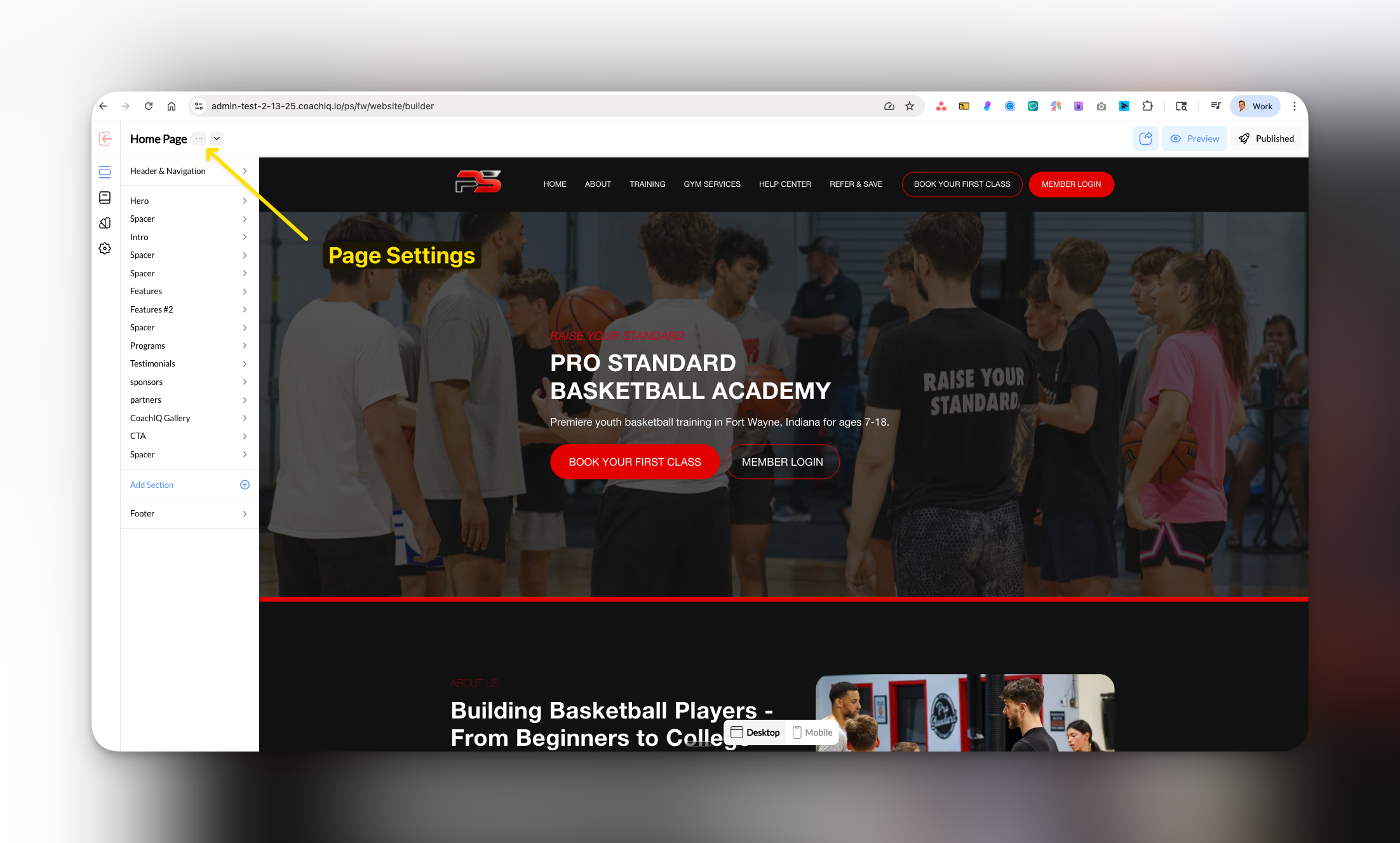
Where to find this: Dashboard → Website Builder → Select any page → Page Settings panel
What you’ll accomplish
Customize your page URLs to look professional and improve SEO by removing auto-generated numbers and creating clean, memorable links. Time required: 2-3 minutes per pageUnderstanding URL slugs
The slug is the part of your website URL that comes after your domain:- Your domain:
yourcoachingsite.com - Page slug:
/about - Full URL:
yourcoachingsite.com/about
Why clean URLs matter for coaches
- Professional credibility:
coachsmith.com/basketball-traininglooks more trustworthy thancoachsmith.com/page-1755106901008 - Easy sharing: Parents can easily remember and share
yoursite.com/campswith other parents - Better SEO: Search engines prefer descriptive URLs with relevant keywords
How to update your URL slugs
1
Access Page Settings
In Website Builder, select the page you want to edit and click Page Settings in the left panel.

2
Edit the Slug field
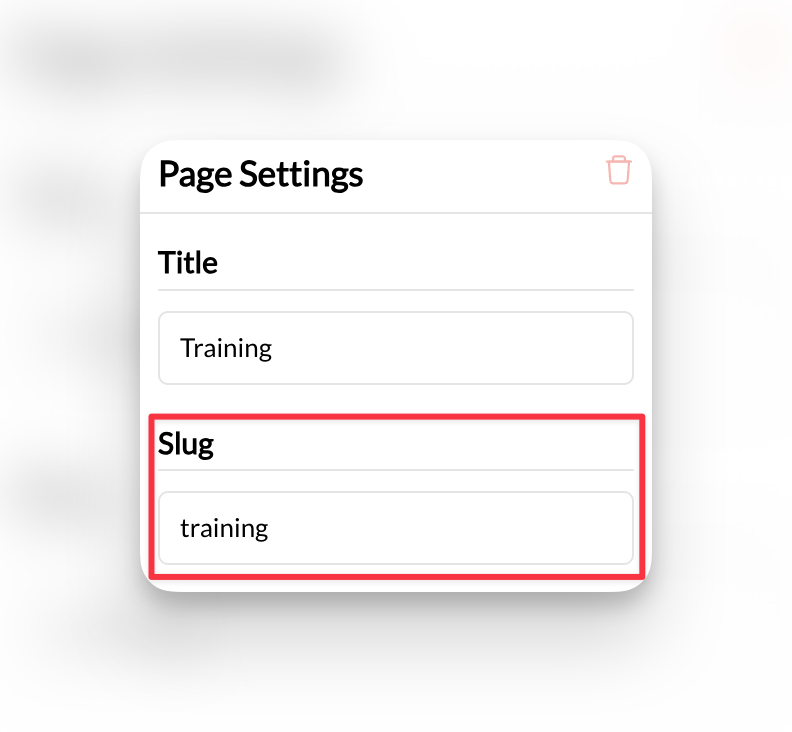
In the Page Settings panel, find the Slug field. You’ll see the current URL (which may have numbers like 
about-1755106901008).
The URL slug field where you can replace auto-generated numbers with clean, professional URLs
CoachIQ automatically adds numbers to prevent duplicate URLs, but you can customize these for better branding.
3
Create your custom slug
Delete the existing slug and type your preferred URL. Best practices:
- Keep it short and descriptive:
about,training-programs,contact - Use hyphens (not spaces):
basketball-trainingnotbasketball training - Include keywords when relevant:
youth-basketball-camps
4
Publish your changes
Click Publish to make your new URL live.
Your page now has a clean, professional URL that’s easy to share and remember.
Common URL slug examples for coaches
Service Pages
/basketball-training/group-sessions/private-coaching/summer-camps
Business Pages
/about/contact/pricing/testimonials
Removing auto-generated numbers
Why numbers appear: When you create pages with similar names, CoachIQ adds numbers to prevent URL conflicts. How to clean them up:- Replace
about-1755106901008with simplyabout - Change
training-programs-2totraining-programs - Update
contact-3tocontact
Best practices
Common questions
What happens to the old URL when I change the slug?
The old URL will no longer work. If you’ve shared links or have the page bookmarked, you’ll need to update those with the new URL.
Can I use the same slug on different pages?
No, each page must have a unique slug. CoachIQ will show an error if you try to use a duplicate slug.
Do clean URLs help with sharing on social media?
Should I include my sport in the URL?
Yes, if it’s relevant. URLs like
/basketball-training or /soccer-camps are more descriptive and SEO-friendly than generic terms like /training or /camps.Related articles
- Legal Pages - Set up professional legal page URLs
- Page Templates - Learn about available page types
- SEO & Marketing - Optimize your URLs for search engines