

Where to find this: Dashboard → Website Builder → Add New Page → Templates
What you’ll accomplish
Create professional legal pages (privacy policy, terms of service, and disclaimers) for your coaching website using CoachIQ’s built-in templates, customize them for your business, and publish them to your footer navigation.Why legal pages matter for coaches
Essential legal pages protect your coaching business and build trust with potential clients. These legal documents are especially important when you’re:- Collecting personal information through forms
- Processing payments and storing billing data
- Working with minors (requiring waivers)
- Operating in multiple states or countries
When legal pages become legally required
Legal pages aren’t just best practice—they’re often required by law:- Privacy policies: Required when collecting any personal data (names, emails, phone numbers)
- Terms of service: Required for payment processing and subscription services
- Disclaimers: Essential for liability protection in fitness and sports coaching
Compliance note: Most payment processors (including Stripe) require privacy policies and terms of service before processing payments for your coaching business.
Legal disclaimer: These templates provide a starting point but should be reviewed by a qualified attorney for your specific business needs and jurisdiction.
Available legal page templates
CoachIQ provides three essential legal page templates:Privacy Policy
Terms & Conditions
Disclaimer
CoachIQ templates vs. hiring a lawyer
- CoachIQ Templates
- Custom Legal Documents
Best for: New coaches, straightforward businesses, quick setup
- ✅ Free and included with your subscription
- ✅ Sports coaching specific language
- ✅ Ready to customize in 15-20 minutes
- ✅ Cover essential legal requirements
- ❌ May need attorney review for complex situations
Creating your privacy policy
1
Access the templates
From your Website Builder, click Add New Page and select Templates from the dropdown.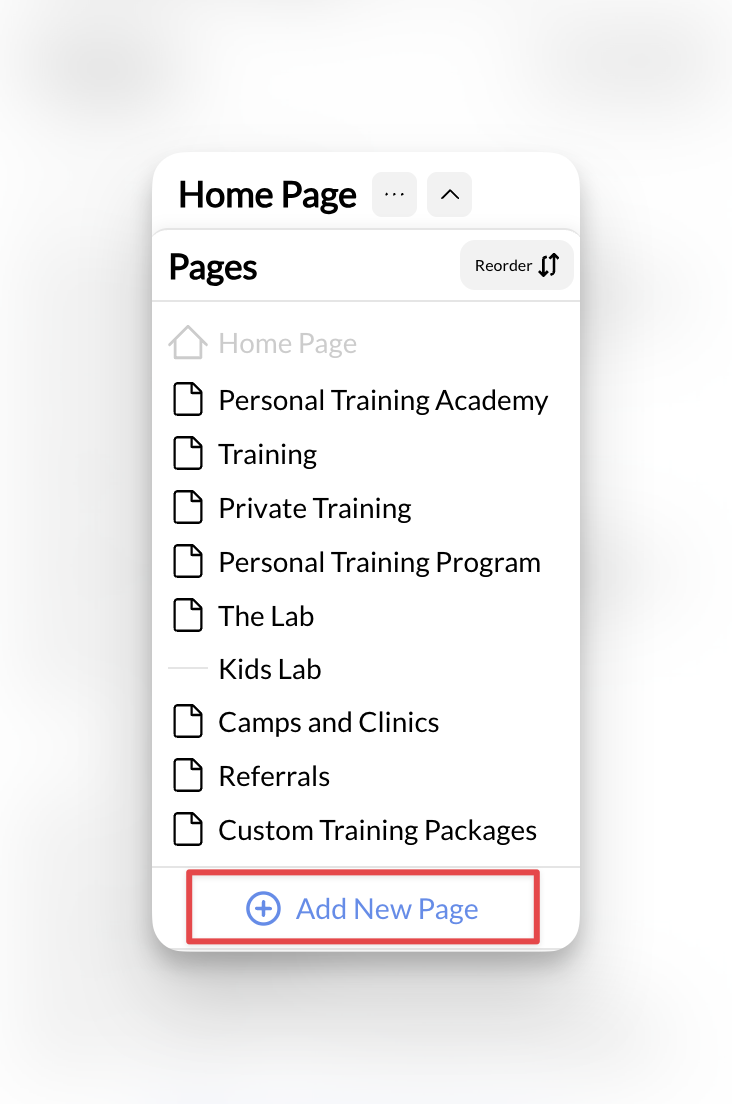
2
Select Privacy Policy template
Choose Privacy Policy from the available templates. This will:
- Set the page title automatically
- Generate a URL slug (yoursite.com/privacy-policy)
- Load the template content for customization
3
Customize the template content
Click Create New Page to begin editing. The template includes standard privacy policy sections that you’ll need to customize:
Privacy Policy Customization Checklist
- Business Name: Replace all placeholder business names
- Contact Information: Add your business address, phone, email
- Data Collection: List what information you actually collect (names, emails, payment info, etc.)
- Third-Party Services: Update with your actual integrations (Stripe, Google Analytics, email tools)
- Data Retention: Specify how long you keep customer information
- Creation Date: Add today’s date as the effective date
4
Add your creation date
Include the date you created or last updated your privacy policy. This is legally important and shows clients your policy is current.
Your privacy policy is now customized and ready to publish.
Creating terms & conditions
1
Follow the same process
Return to Add New Page → Templates and select Terms & Conditions.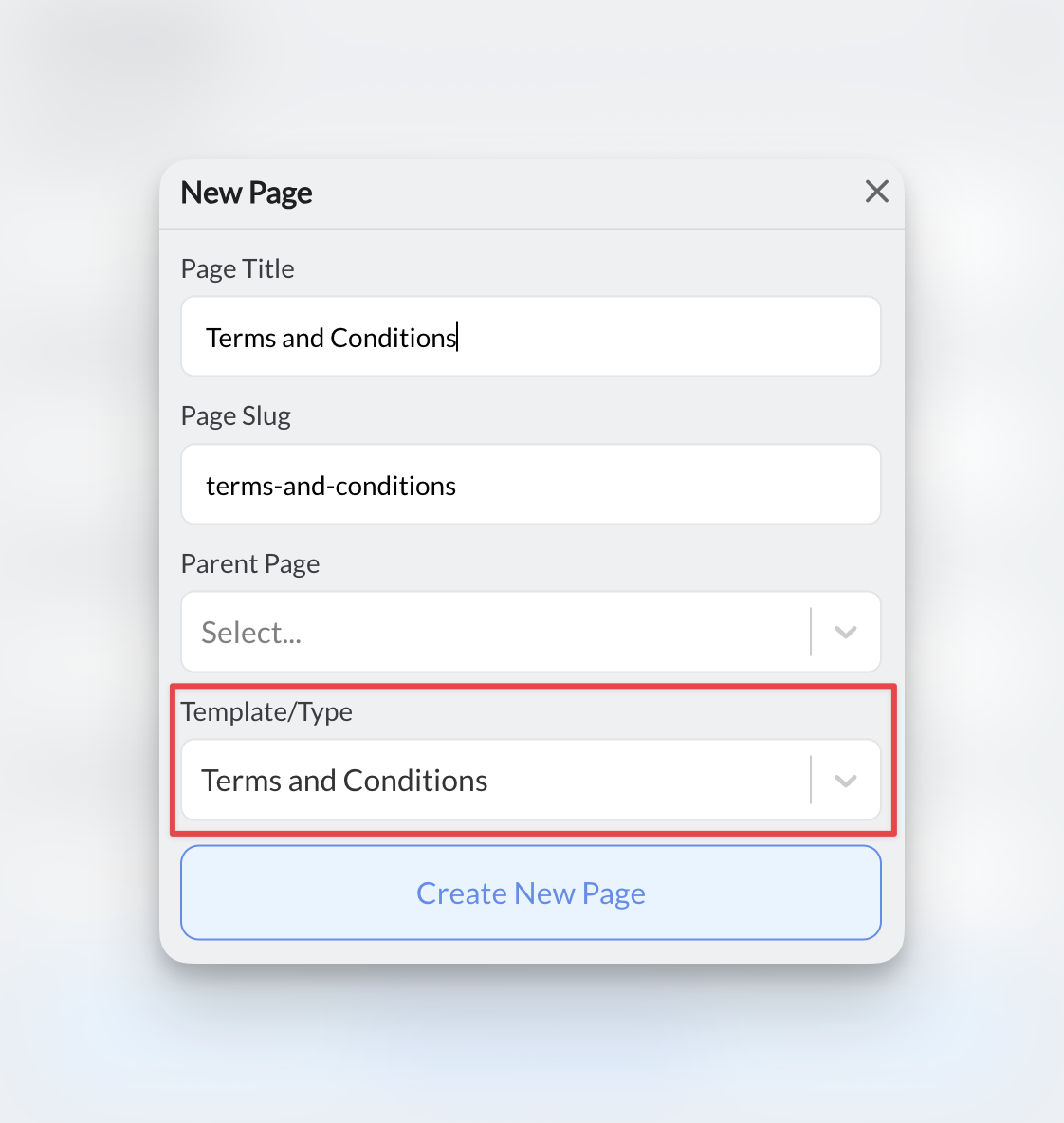
2
Customize key sections
Focus on these sections that are crucial for coaching businesses:
Terms & Conditions Customization Checklist
- Service Description: Detail your specific coaching services (1-on-1 training, group sessions, online programs)
- Payment Terms: Session costs, package pricing, accepted payment methods
- Cancellation Policies: How much notice required, fees for late cancellations
- No-Show Policies: Whether you charge for missed sessions
- Rescheduling Rules: How far in advance clients can reschedule
- Liability Limitations: Essential protection for physical training
- Age Requirements: Policies for training minors, parental consent requirements
- Equipment Usage: Rules for using your gym equipment or facilities
Creating disclaimers
1
Select the Disclaimer template
Choose Disclaimer from the template options.
2
Customize for your sport
Adapt the disclaimer to your specific coaching discipline and include these essential liability protections:
Disclaimer Customization by Coaching Type
- Fitness/Strength Training
- Sports Coaching
- Youth/Minor Coaching
- Online/Virtual Coaching
- Physical injury risks and medical clearance requirements
- Equipment usage safety and proper form warnings
- Pre-existing condition disclosures
- Emergency medical treatment consent
- Facility liability limitations
Publishing your legal pages
1
Remove template instructions
Before publishing, delete any template instructions or placeholder text that starts with phrases like “Please customize this section…”
These instruction sections are meant to guide your customization, not appear on your live website.
2
Publish the pages
Click Publish for each legal page to make them live on your website.
3
Add to footer navigation
To make your legal pages easily accessible: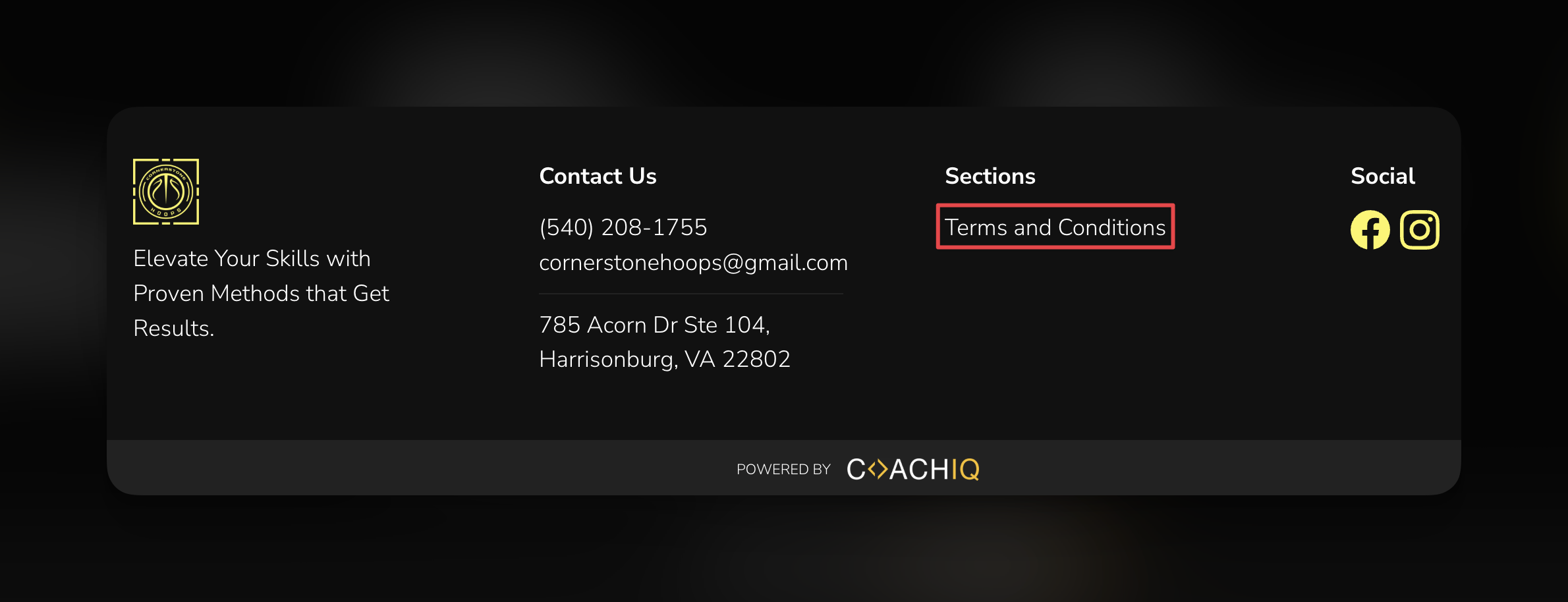
- Scroll to the Footer section in Website Builder
- Under Navigation, click Add Link
- Set the name (e.g., “Privacy Policy”)
- Set the destination to your legal page
- Repeat for all legal pages
4
Verify the links
After publishing, visit your website and check that all legal page links work correctly from your footer.
Your legal pages are now live and accessible to visitors in your footer navigation.
Best practices for legal pages
Legal page maintenance schedule
- Monthly: Check that all legal page links work correctly
- Quarterly: Review content for business practice changes
- Annually: Complete legal page audit and update effective dates
- When needed: Update immediately after adding new services, tools, or changing policies
Common questions
What legal documents do I need for my coaching business?
What legal documents do I need for my coaching business?
At minimum, most coaching businesses need: Privacy Policy (required for data collection), Terms of Service (required for payments), and Liability Disclaimer (essential for physical training). Additional documents like liability waivers, photo releases, and medical clearance forms may be needed depending on your services.
Do I really need all three legal pages?
Do I really need all three legal pages?
Privacy Policy is required if you collect any personal information (names, emails, etc.). Terms & Conditions are essential for payment processing and service agreements. Disclaimers are critical if you provide physical training or work with minors.
How often should I update my legal pages?
How often should I update my legal pages?
Review them at least annually or whenever you make significant changes to your services, pricing, or data collection practices. Always update the “last modified” date when you make changes.
Can I use the same legal pages for multiple coaching locations?
Can I use the same legal pages for multiple coaching locations?
You may need location-specific legal pages if you operate in different states or countries with varying laws. Consult with an attorney familiar with your jurisdictions.
What about liability waivers for in-person training?
What about liability waivers for in-person training?
Legal pages on your website complement but don’t replace physical liability waivers. You may still need clients to sign separate waiver forms before participating in physical activities.
Do these templates work internationally?
Do these templates work internationally?
The templates are primarily based on US law. If you serve international clients or operate outside the US, consult with an attorney familiar with applicable international privacy laws (like GDPR).
Troubleshooting legal pages
Template content looks unprofessional
Template content looks unprofessional
This is normal - templates use placeholder text. You must customize every section to reflect your actual business practices and policies.
Can't find the legal page templates
Can't find the legal page templates
Make sure you’re clicking Add New Page → Templates (not trying to add a section to an existing page). Legal templates appear alongside other page templates.
Related articles
- Page Templates - Learn about all available page templates
- URL Slugs & Page Management - Customize your legal page URLs
- Footer Customization - Style your footer navigation
- Forms Integration - Understand data collection that requires privacy policies