

Where to find this: Client Profile → Bookings tab
What it shows
Every session this client has booked, organized by status: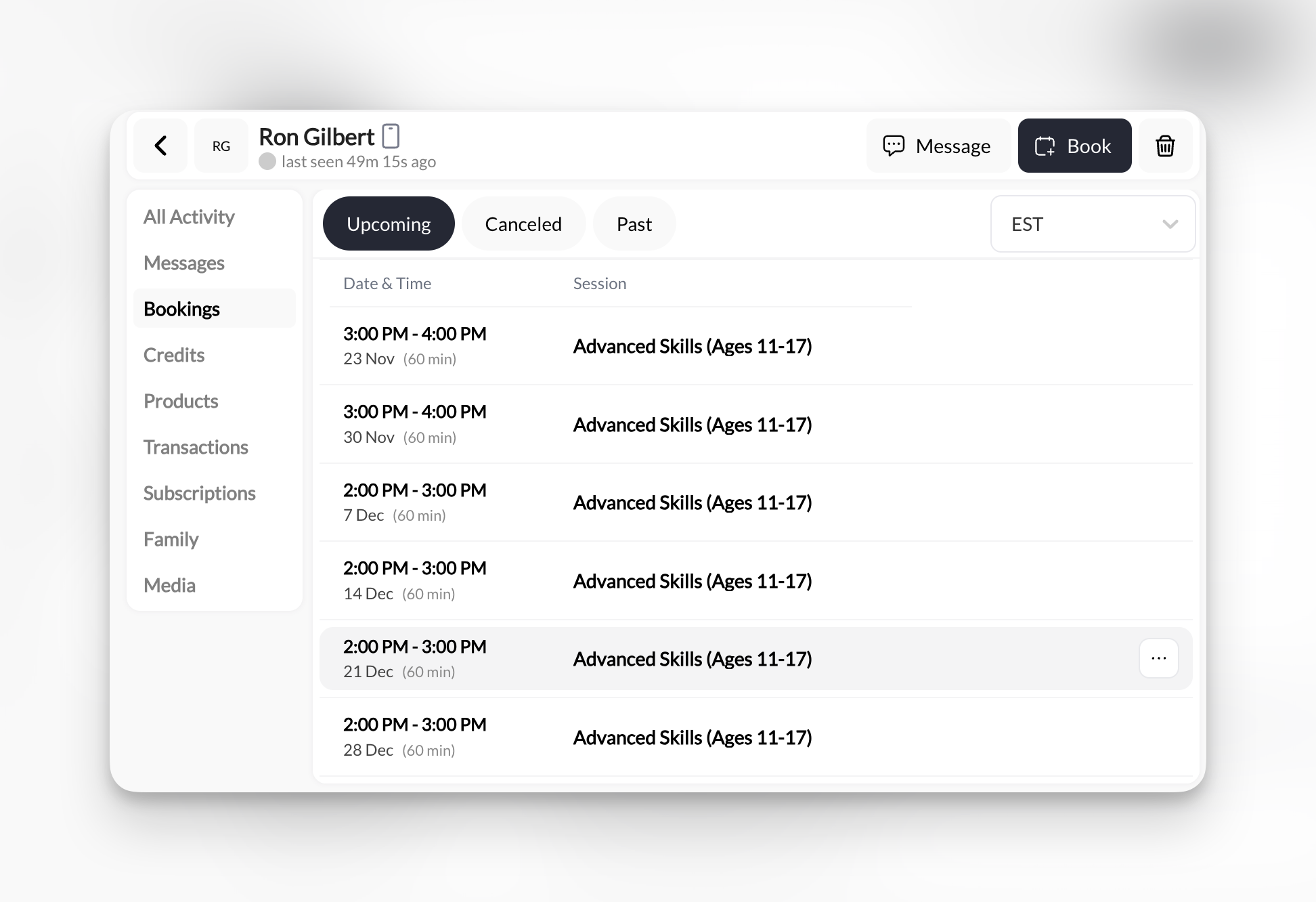
- Upcoming
- Canceled
- Past
Future sessions that haven’t happened yet.Shows:
- Date & time
- Session name
- Duration
- Time zone (PST, EST, etc.)
Who made the booking
When a coach or admin booked the session, a Booked by line under the booking names them. If a parent’s credits paid for a child’s booking, it reads “Booked by (coach) with credits from (parent)”. A booking the client made for themselves has no Booked by line, and a booking a parent made for their child names the parent. Bookings made before May 2026 and canceled bookings don’t show a staff name.Canceling a booking
Canceling a booking from the admin calendar or a bookings list asks you to confirm and names the client and time. No keeps the booking. For a booking paid with credits, you still get the choice to refund the credits after confirming.Parent profiles: bookings grouped by athlete
Open a Parent and the Bookings tab shows every session for every athlete connected to that parent, grouped by athlete, rather than only sessions the parent booked for themselves. Open one of the athletes and you see just that athlete’s sessions. This mirrors what the parent sees in their own portal and in the native app, so when a parent calls about “Tuesday’s practice” you are both looking at the same list. If a parent’s Bookings tab is missing a child’s sessions, check PROFILE → Family on the parent; the athlete must be connected there. See Family accounts.Time zone selector
Top-right dropdown lets you view bookings in different time zones:- PST (Pacific)
- EST (Eastern)
- CST (Central)
- MST (Mountain)
- And more…
Common uses
When is their next session?
When is their next session?
- Make sure you’re on Upcoming tab
- Look at first entry (soonest session)
How many times have they trained this month?
How many times have they trained this month?
- Click Past tab
- Count entries from current month
- Look for date patterns (e.g., every Monday/Wednesday)
Why did they cancel?
Why did they cancel?
- Click Canceled tab
- Check cancellation frequency
- Look for patterns (same day cancellations? specific session types?)
Preparing for their session today
Preparing for their session today
- Check Upcoming tab
- See session name and time
- Open their Credits or All Activity tab to see recent context
- Message them a reminder if needed
Empty bookings tab?
If you see no bookings, this client has either:- Never booked a session (brand new)
- Only booked sessions you later deleted from Calendar
- Booked through a different account. A parent’s Bookings tab lists connected athletes’ sessions grouped by athlete, so if the parent is empty too, check PROFILE → Family to confirm the athlete is connected
Pro tip: Spot no-show patterns
If you see:- Many Canceled entries (especially last-minute)
- Long gaps between Past bookings
- Sessions booked but zero in Past tab
- Check Messages tab—did they communicate?
- Look at Credits tab—do they have credits expiring?
- Send a check-in: “Hey, missed you lately! Everything okay?”