

Where to find this: Athlete Portal Builder → Settings → Menu & Links
Main Menu toggles
The Main Menu section controls which pages appear in the athlete portal navigation. Each row shows the page label, its URL path, and a toggle.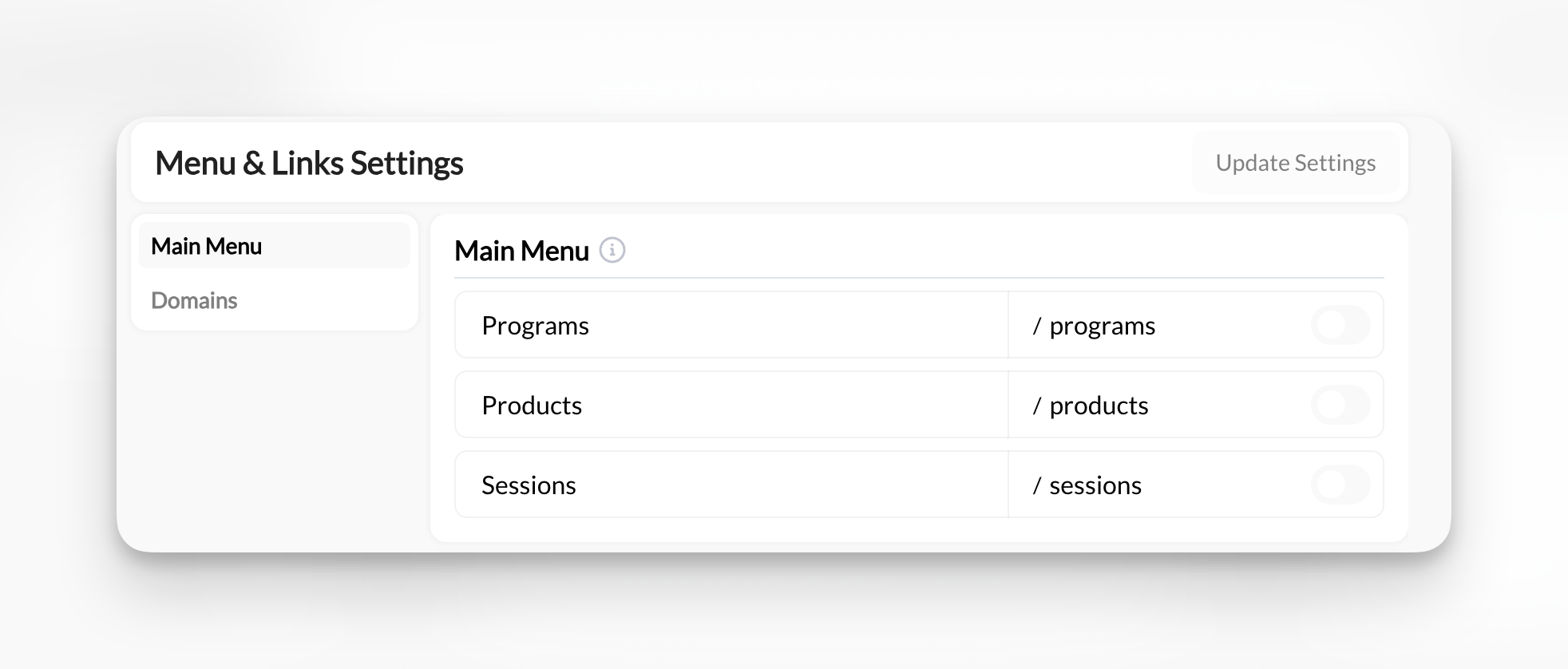
The Main Menu section showing the three default portal pages and their toggles
Toggling a page off hides it for all athletes. The page’s content isn’t deleted — it becomes inaccessible from the nav. Toggle it back on to restore it.
Click Update Settings to save any changes.
Renaming portal pages
The labels athletes see in their navigation are yours to change, so the portal can say “Training” instead of “Programs” or “Book a Lesson” instead of “Sessions”. The rename lives on each page, not in Menu & Links:
Each of those Settings panels also has a Slug field for the URL path, so you can move
/sessions to /schedule at the same time if you want the link to match the new name. Click Update Page on that page to save; the new label shows in Menu & Links and in the athlete navigation immediately.
Renaming is per organization. If you run several groups, each group’s portal has its own labels.
Still show Bookings to athletes
When Sessions is toggled off, a sub-option appears below it: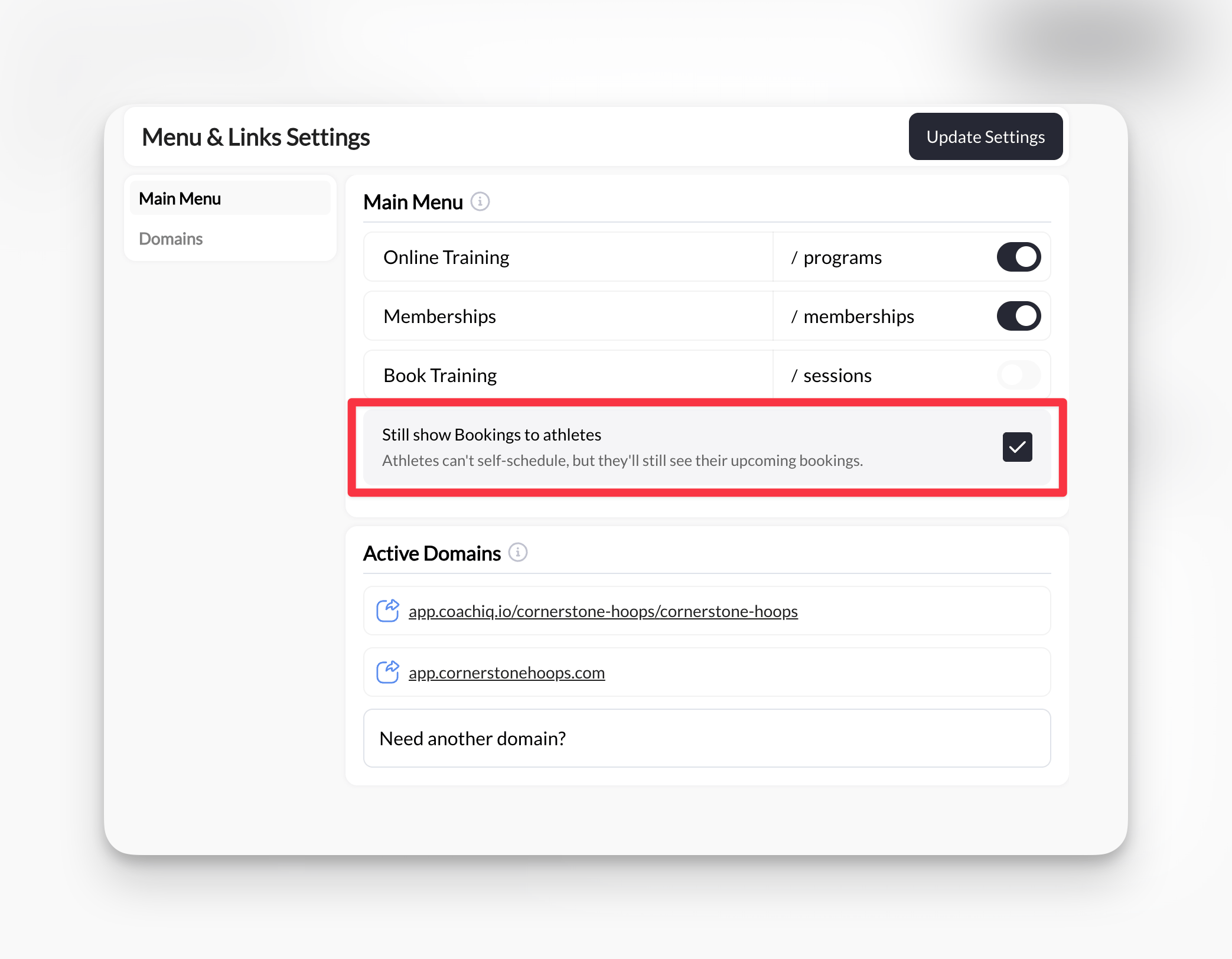
The 'Still show Bookings to athletes' option appears when Sessions is disabled
Still show Bookings to athletes — Athletes can’t self-schedule, but they’ll still see their upcoming bookings.When checked, athletes see a Bookings section in their portal sidebar where they can view upcoming, past, and canceled sessions — but cannot book new ones. This is the right choice when you manage all scheduling manually but still want athletes to have visibility into their calendar. When unchecked, the Bookings view is hidden entirely.
This option only appears when Sessions is toggled off. If Sessions is on, the full scheduling page is available and this setting has no effect.
Active Domains
The Active Domains section shows the URLs athletes can use to access your portal. These are read-only here — contact CoachIQ support to connect a custom domain.Common questions
Will turning off Sessions cancel existing bookings?
Will turning off Sessions cancel existing bookings?
No. Toggling off Sessions only removes the scheduling page from the nav. Existing bookings are unaffected. Athletes with booked sessions can still view them if Still show Bookings to athletes is checked.
Can I hide the Bookings view from athletes even with Sessions off?
Can I hide the Bookings view from athletes even with Sessions off?
Yes. When Sessions is off, uncheck Still show Bookings to athletes and click Update Settings. Athletes will no longer see the Bookings section in their portal.
Why don't I see the 'Still show Bookings to athletes' option?
Why don't I see the 'Still show Bookings to athletes' option?
This option only appears when Sessions is toggled off. Toggle Sessions off first and the option will appear below it.
Can I rename the pages athletes see?
Can I rename the pages athletes see?
Yes. Open the page in the App Builder (Content, Products, or Schedule), click the gear icon, and change the page name and, if you like, the slug. See Renaming portal pages.
Related articles
Athlete Portal overview
Understand how the portal is structured and how athletes experience it
App Builder navigation
Navigate the App Builder interface and publish changes
Sharing schedulers
Add schedulers to the athlete portal schedule page
Pages Paywall
Restrict portal pages to paying members