

Where to find this: Schedule → Calendar → Click the analytics icon (chart) in the top right

What you’ll learn

Use Calendar Analytics to understand your booking patterns, identify underperforming schedulers, track coach utilization, and spot cancellation trends—all the data you need to optimize your schedule for maximum revenue.
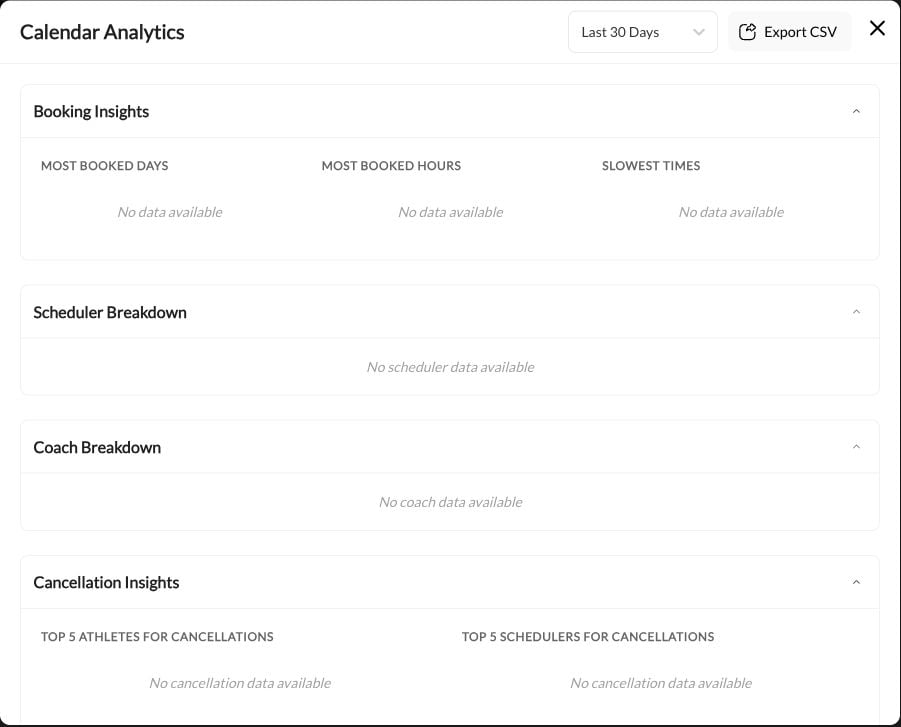
Calendar Analytics panel showing booking insights, scheduler breakdown, and cancellation data

Booking insights

The top section gives you a quick snapshot of your busiest and slowest periods.

Most booked days

See which days of the week have the highest booking volume. Use this to:
  • Schedule important sessions on your busiest days (higher attendance likelihood)
  • Identify days to run promotions for slower periods
  • Plan your personal schedule around peak demand

Most booked hours

Identify your peak booking times. Use this to:
  • Ensure you have availability during high-demand hours
  • Consider premium pricing for peak times
  • Staff appropriately for busy periods

Slowest times

Find gaps in your schedule where demand is low. Use this to:
  • Run promotions or discounts for slow periods
  • Consider reducing availability during low-demand times
  • Target marketing for underutilized slots

Scheduler breakdown

This table shows performance metrics for each of your schedulers.
ColumnWhat It Shows
Scheduler NameThe name of each scheduler
BookingsTotal number of bookings in the selected period
CapacityTotal available slots across all sessions
Fill Rate %Percentage of available capacity that was booked
Cancel RatePercentage of bookings that were canceled

Reading the data

Example: 95% fill rate, 5% cancel rateWhat it means: This scheduler is performing well. Demand is high and athletes are committed.Action: Consider raising prices or adding more availability.
Example: 40% fill rateWhat it means: You have more capacity than demand for this scheduler.Possible actions:
  • Reduce availability (fewer time slots)
  • Lower price to increase demand
  • Improve marketing for this service
  • Consider discontinuing if consistently underperforming
Example: 30%+ cancel rateWhat it means: Athletes are booking but frequently canceling.Possible actions:
  • Review and tighten cancellation policy
  • Send more reminders before sessions
  • Investigate if specific athletes are chronic cancelers
  • Check if the scheduler timing conflicts with common schedules
Example: 100% fill rate every periodWhat it means: You’re fully booked—possibly leaving revenue on the table.Action: Add more availability or raise prices to balance demand.

Coach breakdown

If you have multiple coaches, this section shows how bookings are distributed across your team.
ColumnWhat It Shows
CoachCoach name and avatar
Total BookingsNumber of sessions booked with this coach
Total CapacityTotal available slots for this coach
Fill Rate %Percentage of the coach’s capacity that was booked

Using coach data

Identify top performers: Coaches with high fill rates are in demand. Consider:
  • Having them mentor other coaches
  • Raising their session prices
  • Giving them more availability
Support underperformers: Coaches with low fill rates may need:
  • More training or development
  • Better marketing/visibility
  • Schedule adjustments to more popular times
  • Review of athlete feedback
Balance workload: Ensure bookings are distributed fairly to prevent burnout and maintain quality.

Cancellation insights

The bottom section highlights cancellation patterns to help you reduce no-shows and lost revenue.

Top athletes for cancellations

Lists the athletes who cancel most frequently. How to use this:
  • Have a conversation with chronic cancelers about commitment
  • Consider stricter cancellation policies for repeat offenders
  • Investigate if there’s a pattern (always cancels Mondays? Specific scheduler?)
  • Decide if the athlete is a good fit for your business

Top schedulers for cancellations

Shows which schedulers have the highest cancellation rates. Common causes of high scheduler cancellation rates:
  • Inconvenient timing: Sessions at awkward hours
  • Too far in advance: Athletes forget about sessions booked weeks out
  • Wrong audience: Scheduler attracting uncommitted athletes
  • Pricing mismatch: Athletes booking then getting price shock
Actions to take:
  • Review scheduler settings and timing
  • Shorten the booking window (e.g., 14 days instead of 30)
  • Add more reminders before sessions
  • Require prepayment or deposits

Filtering your data

Use the date range selector (top right) to view analytics for specific periods:
  • Last 7 days: Recent performance snapshot
  • Last 30 days: Monthly trends (default view)
  • Last 90 days: Quarterly patterns
  • Custom range: Specific dates for detailed analysis
Compare periods: Check analytics for the same period across different months to identify seasonal patterns. Is summer slower? Do cancellations spike around holidays?

Exporting data

Click Export CSV to download your analytics data for deeper analysis in spreadsheets. The export includes:
  • All scheduler metrics
  • Coach performance data
  • Cancellation statistics
  • Date range included in filename
Use exported data for:
  • Creating custom reports
  • Tracking month-over-month trends
  • Sharing with business partners
  • Tax and business planning

Taking action on insights

Low Fill Rates

Problem: Schedulers under 60% fill rateActions:
  • Reduce available slots
  • Run targeted promotions
  • Adjust pricing
  • Improve marketing

High Cancellations

Problem: Cancel rates over 20%Actions:
  • Tighten cancellation policy
  • Add confirmation reminders
  • Address chronic cancelers
  • Require deposits

Unbalanced Coaches

Problem: One coach at 95%, others at 50%Actions:
  • Promote underbooked coaches
  • Adjust scheduling/availability
  • Review pricing parity
  • Cross-train for popular styles

Peak Time Gaps

Problem: High demand but limited availability at peak timesActions:
  • Add availability during peak hours
  • Implement premium pricing
  • Hire additional coaches
  • Create waitlists