

Show unbooked times
- Open Show and choose Open availability only.
- Under Show openings for, select the types of openings you want to see.
- Narrow the Schedulers and Coaches filters, choose your date range and view, and check the timezone.
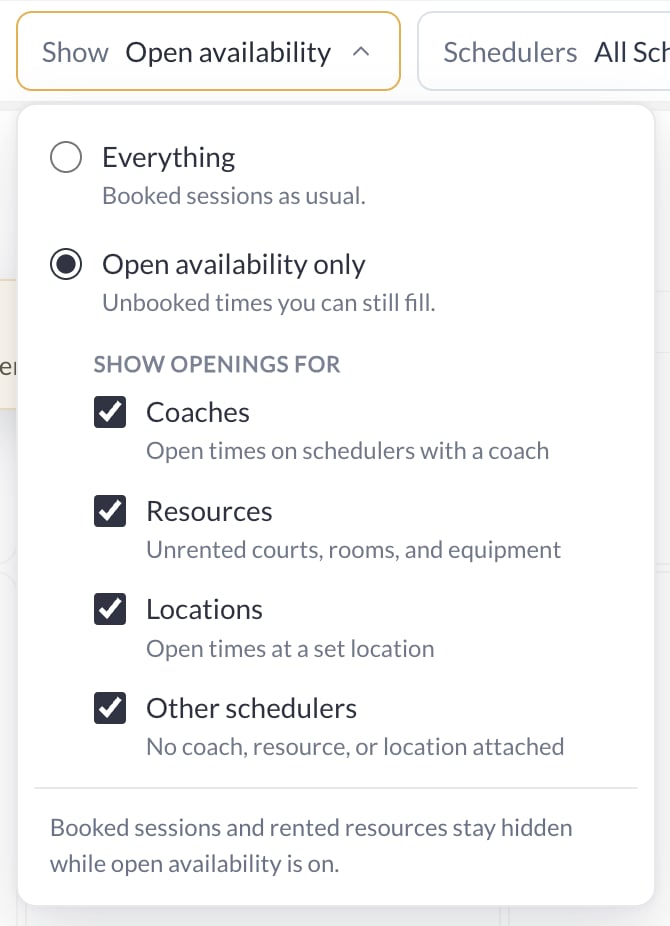
Booked sessions and rented resources stay hidden while open availability is on. An opening is an available time, not a booking or a reserved resource.
Save your view
After changing the filters, choose + Save view.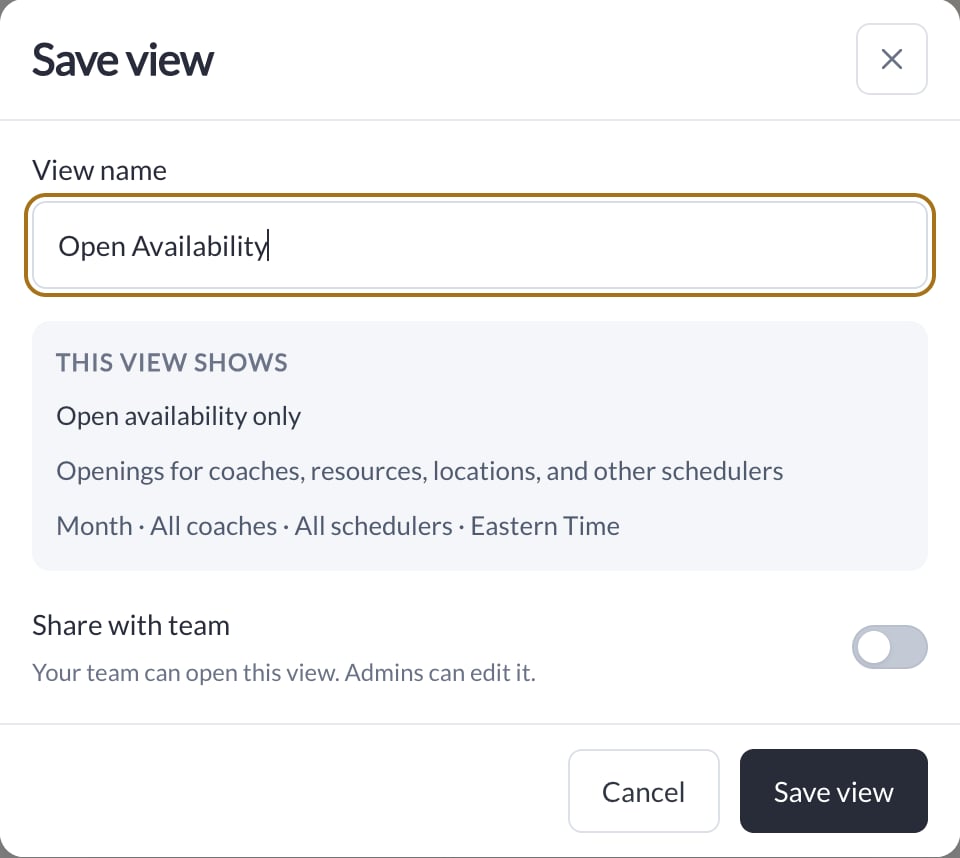
- Give the view a name you will recognize, such as Open Availability.
- Review This view shows, including the opening types, calendar view, coach and scheduler filters, and timezone.
- If you want the team to use it, turn on Share with team. The team can open a shared view; Admins can edit it.
- Choose Save view. Use its chip above the calendar to return to it.