

How it works
- You turn on Allow a waitlist for a scheduler that has a maximum per time.
- When a time is full, families still see it, marked Full, with a Join waitlist button. Joining is free.
- When a spot opens, everyone on that time’s waitlist gets a message at the same time.
- The first to book the open spot gets it. Nobody’s place is held, and nobody is booked or charged automatically.
Turn on the waitlist
1
Open the scheduler
Go to Scheduling → Schedulers, open the scheduler and choose Advanced settings.
2
Set a maximum per time
Under Time slot capacity, tick Max athletes per time slot and enter the number, for example 8 for a clinic or 1 for a private lesson. Allow a waitlist only appears once a maximum is set, because without one a time is never full.
3
Allow a waitlist and choose its size
Tick Allow a waitlist. Waitlist size is how many people can wait for each time, from 1 to 200. It starts at the same number as your maximum, so a clinic of 8 can have 8 people waiting.
4
Save
Click Save. The waitlist works for every time in this scheduler.
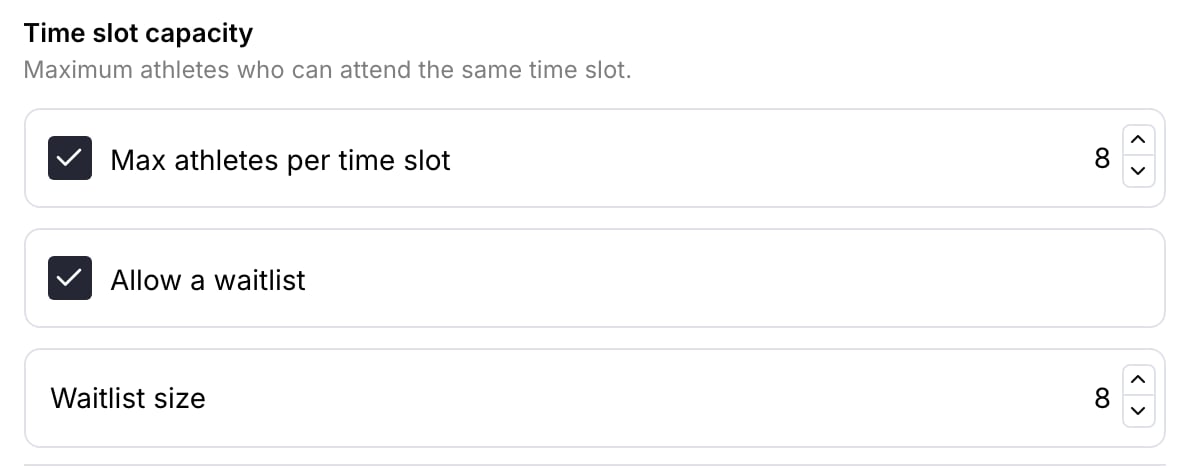
A clinic with 8 athletes per time and room for 8 more on the waitlist.
What families see
A full time, and the Join waitlist button
On the booking screen in your app, a full time stays in the list with a Full tag instead of disappearing. When a family picks it, the button in their order changes from booking to Join waitlist.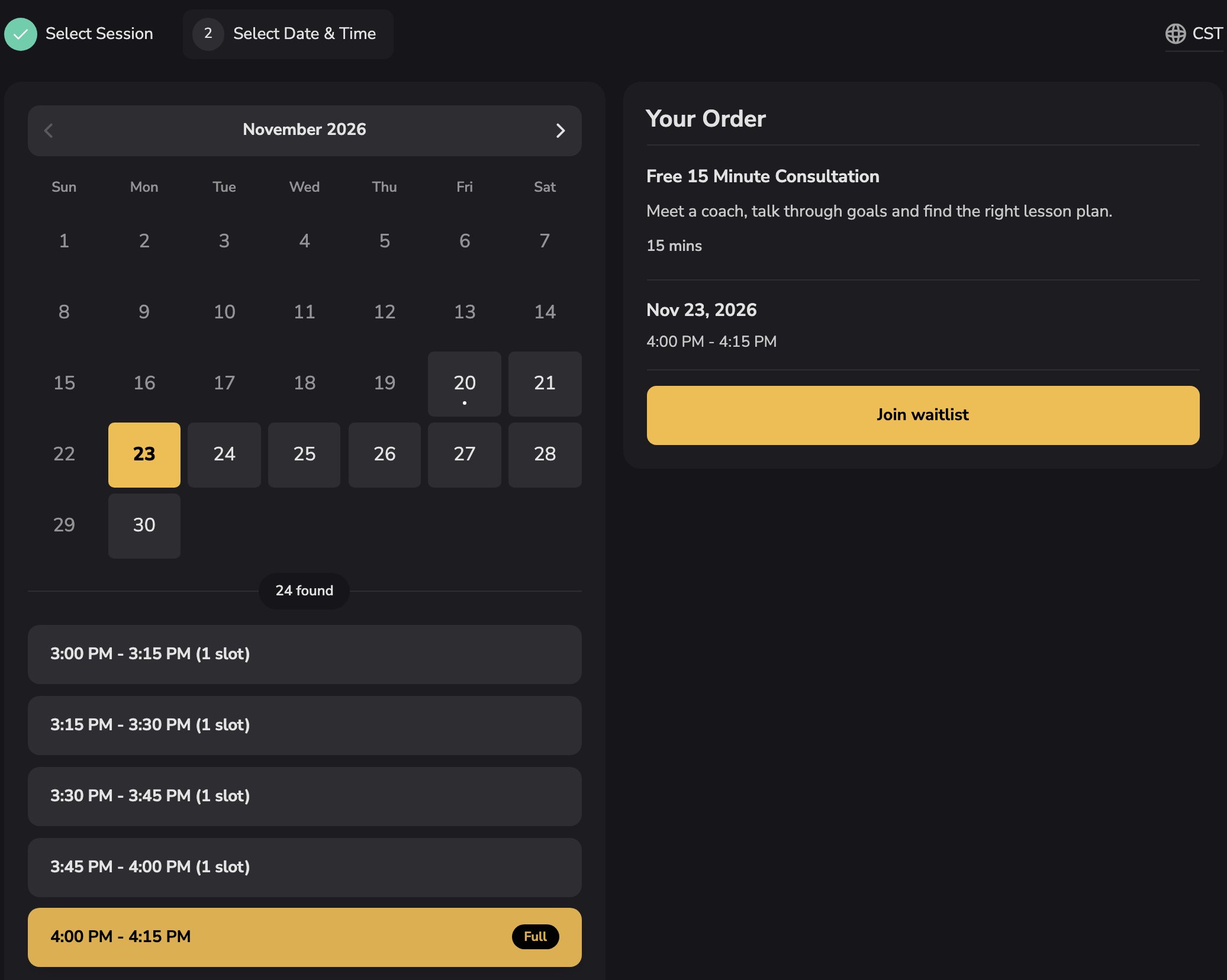
The 4:00 PM time is full, so the family sees Join waitlist instead of a booking button.
You’re on the waitlist
Joining takes one tap. The family sees the date and time, Nothing was charged, and “If a spot opens, we’ll let you know. The first to book it gets it.” From there they can open their schedule, leave the waitlist or close the window.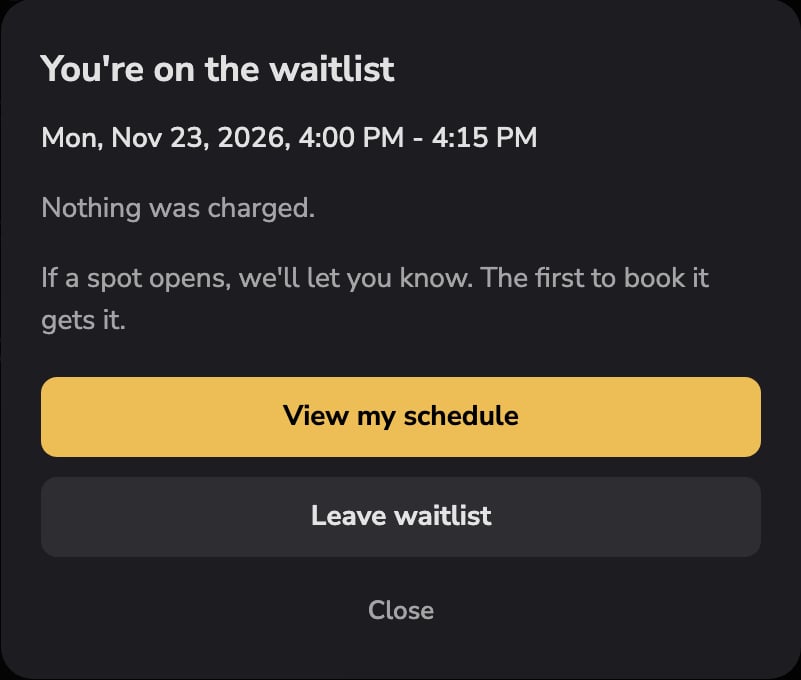
The confirmation after joining.
In their bookings
The time appears with their upcoming bookings, tagged Waitlisted, with a Leave button if their plans change.
When a spot opens
A spot opens when someone cancels, an athlete or coach moves a booking to another time, you remove a booking, or you raise the maximum. Everyone on that time’s waitlist gets one message by push notification, email and text, wherever they can receive each, telling them which session and time just opened up. The time shows as open again in your app, and the first family to book it gets it. Families stay on the waitlist until they book or leave, so if the first person to book is someone else, the rest are still on the list for the next opening. Booking the open spot works like any other booking: they pay the price or use credits as usual.What you see as the coach
Open the session from Scheduling → Calendar. When it’s full, Participants shows Full, and a Waitlist section lists everyone waiting, with when they joined.- Book in opens a booking with that athlete and the time already filled in, so you can give someone the spot yourself.
- Remove takes someone off the waitlist without sending them a message.
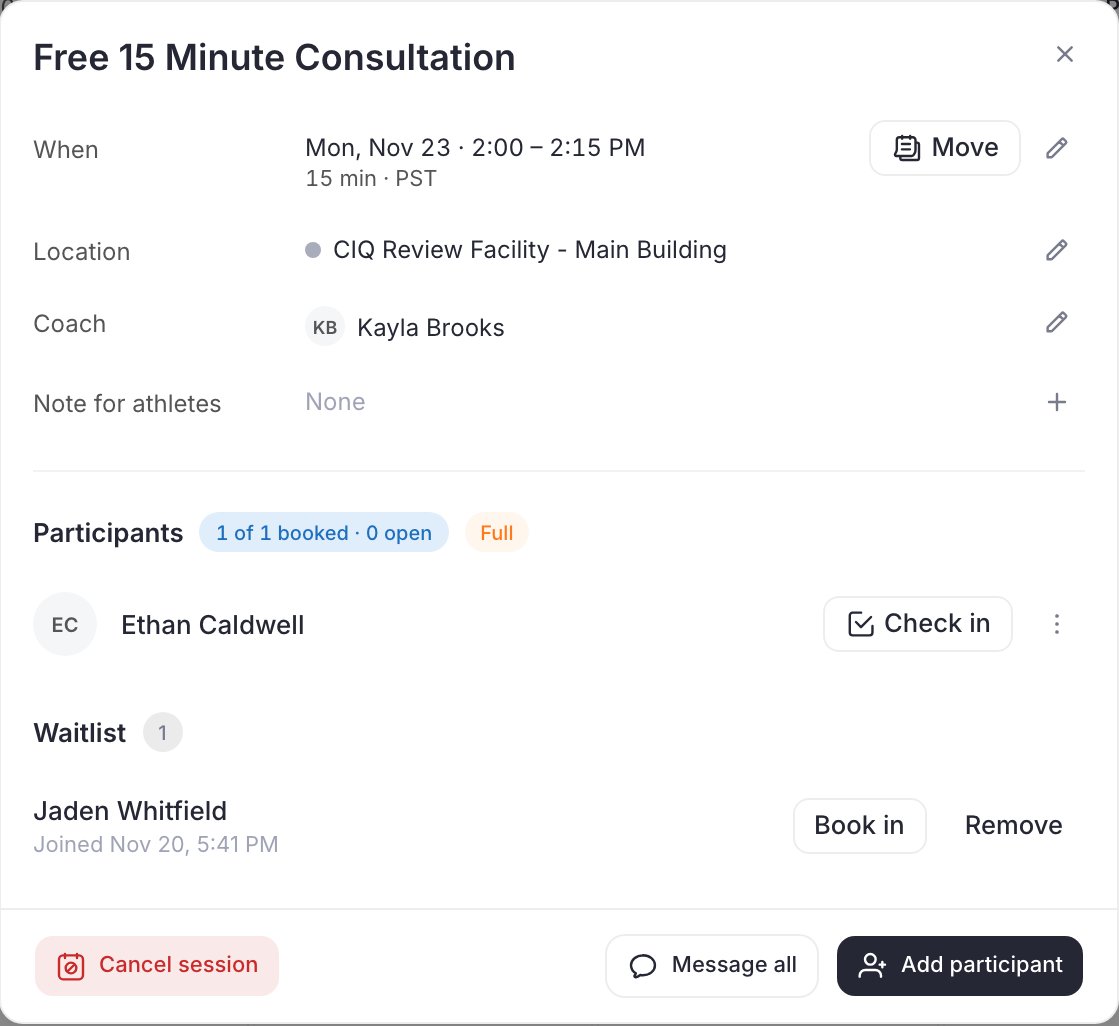
A full session with one person on the waitlist.
Common questions
I don't see Allow a waitlist
I don't see Allow a waitlist
Tick Max athletes per time slot and enter a number first. The waitlist switch only shows for schedulers with a maximum per time.
Does joining the waitlist cost anything?
Does joining the waitlist cost anything?
No. Joining is free, holds no credits and creates no order. Families only pay when they book an open spot.
Does the first person on the list get the spot automatically?
Does the first person on the list get the spot automatically?
No. Everyone on the waitlist is told at the same time and the first to book gets it. If you want to give the spot to a particular family, use Book in on the session.
Can a parent put a child on the waitlist?
Can a parent put a child on the waitlist?
Yes. A parent joins the waitlist the same way they book, choosing which child it’s for.
How do families leave the waitlist?
How do families leave the waitlist?
From their bookings in your app, with Leave, or Leave waitlist on the confirmation window.